

By the end of this article you will have built a video, made a cover image and sent the video to YouTube. A one-minute video costs from 87 tokens, a three-minute one around 320–350. The script and the sound are covered in the article on the script and the article on the voiceover.
Choose the image style and model
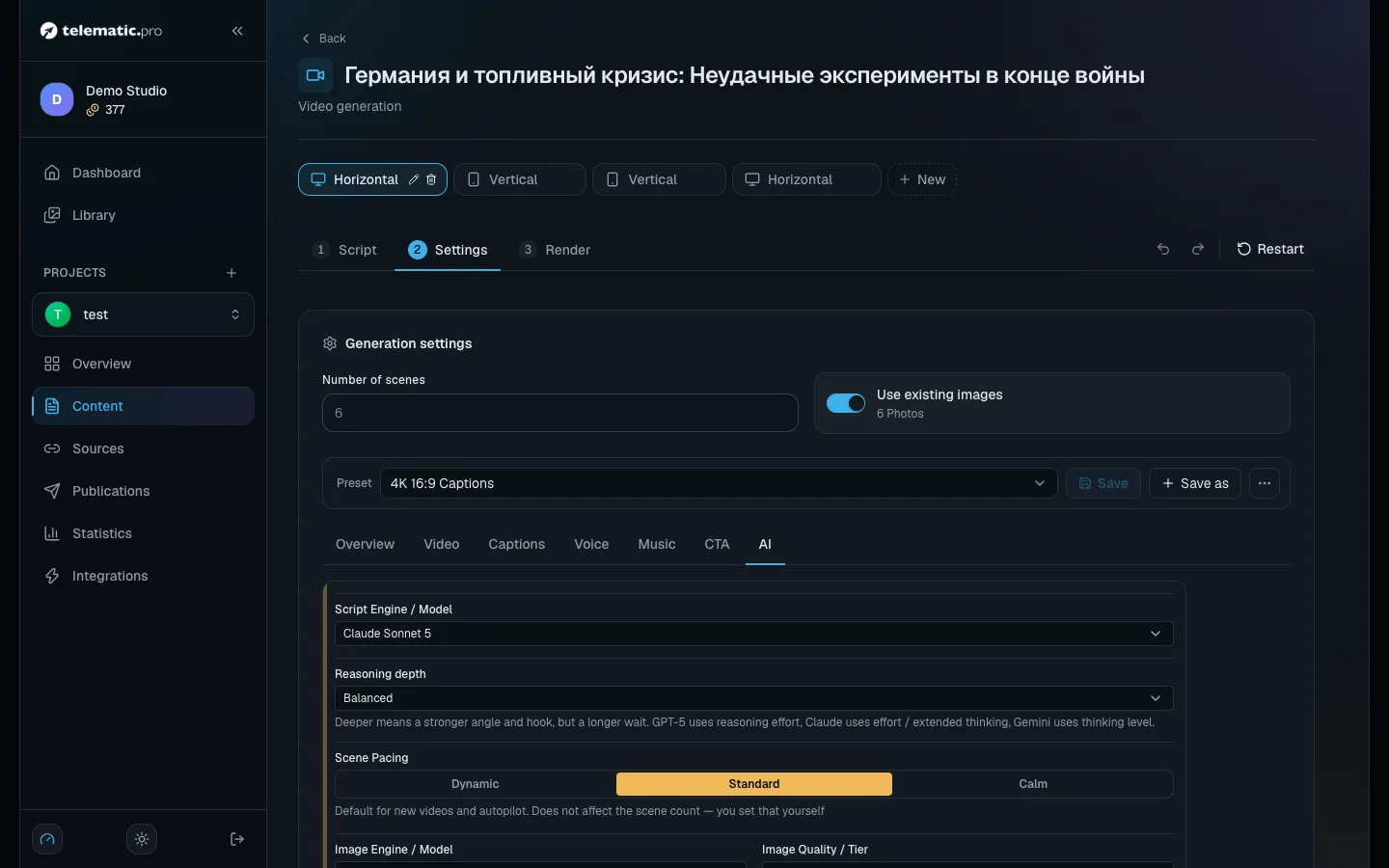
Open the "Settings" step, the "AI" tab.
- The style. "Project default" takes the style from the project settings. You can also choose a ready style, "Auto (no style)" or "Custom style". It applies to every image in the video.
- "Image Engine / Model". Each model shows the price of one image next to it.
- "Image Quality / Tier" and "Resolution" — 1K, 2K or 4K.
The price of one 16:9 or 9:16 image, in tokens:
| Model | "Low" / "Standard" / "High" |
|---|---|
| GPT Image 2.5 Flare (the studio default) | 1K: 1 / 2 / 5 · 2K: 1 / 2 / 6 · 4K: 2 / 4 / 15 |
| Nano Banana 2 Lite | 5, 1K only |
| Nano Banana 2.1 | 1K — 6 · 2K — 8 · 4K — 17 |
| Nano Banana Pro | 1K and 2K — 20 · 4K — 36 |
With Nano Banana the price does not depend on the quality. One scene means one image, so the number of scenes is what affects the price most.
Put your own images and videos into the scenes
At the "Script" step open a scene's "More actions" menu.
- "Add image" — an image of your own: by link, from your computer or from the library.
- "Upload video" (up to 200 MB), "Video from library" or "Record video" — a clip instead of an image. Your own video is free.
- "Effect" — a separate effect for this scene.
For a scene with a clip, choose "What the viewer will hear". "Voiceover over video": the voiceover plays and the clip is fitted to its length. "Video's own audio": the scene lasts as long as the clip, and no voiceover is created or charged for.
Effects for the whole video are on the "Video" tab: "Effect Type" for the transitions between scenes, "Camera motion on stills" and "Effect / Stylization".
Build the video: step by step or automatically
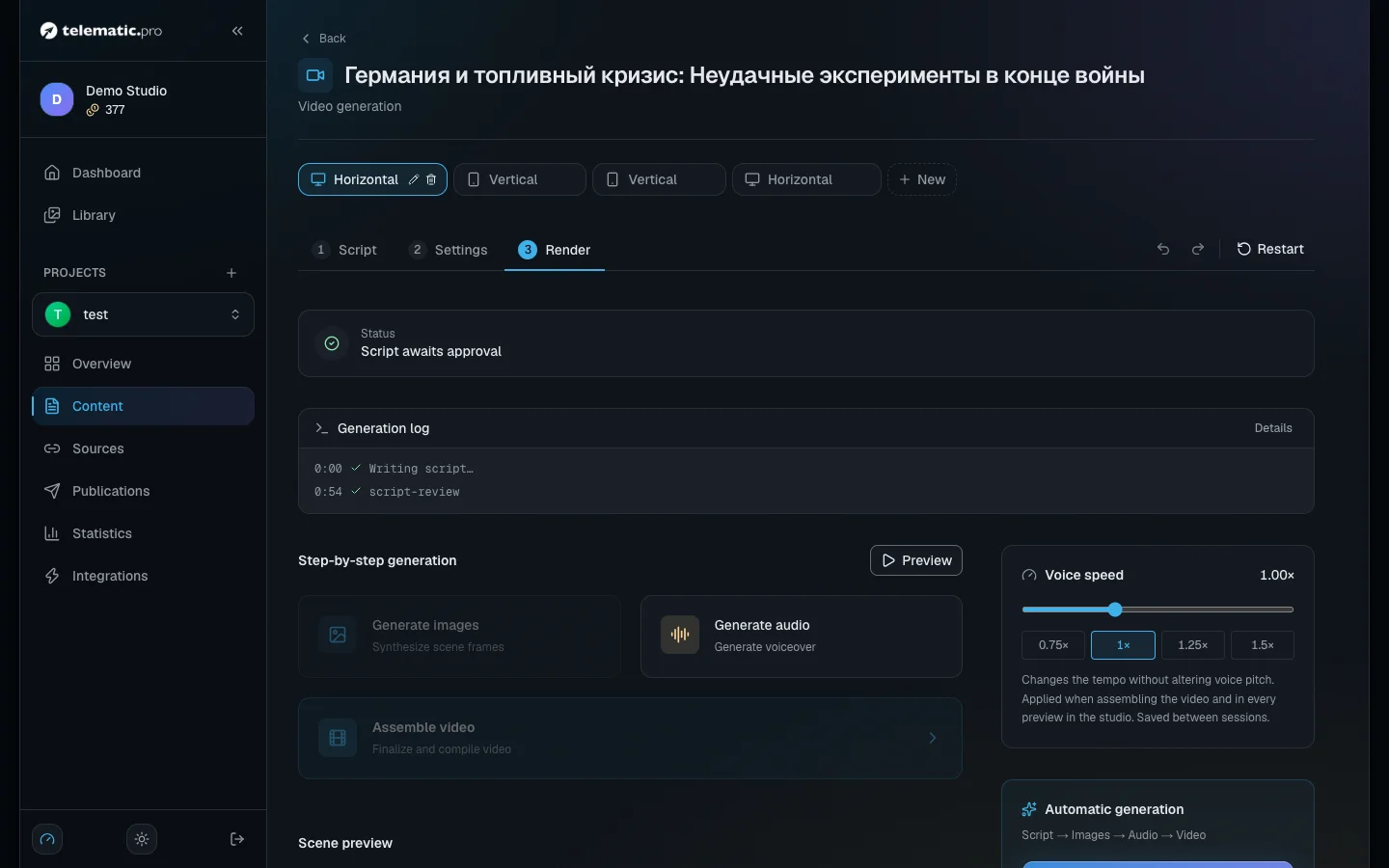
Open the "Render" step. On the left is "Step-by-step generation":
- "Preview" — a free rough run through the scenes with no transitions.
- "Generate images". The frames appear in the "Scene preview" block. Regenerate a bad one from the scene menu — the confirmation window shows the price.
- "Generate audio".
- "Assemble video". The button becomes active once every enabled scene has sound and either an image or a video.
On the right is "Full auto": the script, the images, the voiceover and the build run one after another. The studio recreates any scene material you already have and warns you about it. If you do not have enough tokens, the run does not start and nothing is charged.
Step by step suits you better when you want to check the frames before paying for the build. Full automation is for when the preset is already set up.
The "Cost calculation" block shows "Images", "Audio (~6s)", "Assembly (~1 tok/sec)" and "Total". The build costs 1 token per second of the finished video. Disabled scenes do not count.
Watch the result and rebuild it
The finished video appears at the top of the "Render" step.
- "Download" — save the file.
- If you have changed the captions, the music or the speaking speed, click "Assemble video" again. Only the build is paid for again.
- "Create new version" — start from an empty script; the old video stays.
- "Delete video" deletes only the file; "Reassemble" brings it back.
- "Set as main" — only the version marked "Main" is published, one for each format.
Make a cover image, chapters and a link to the Short
These cards are in the "Studio" block on the item page.
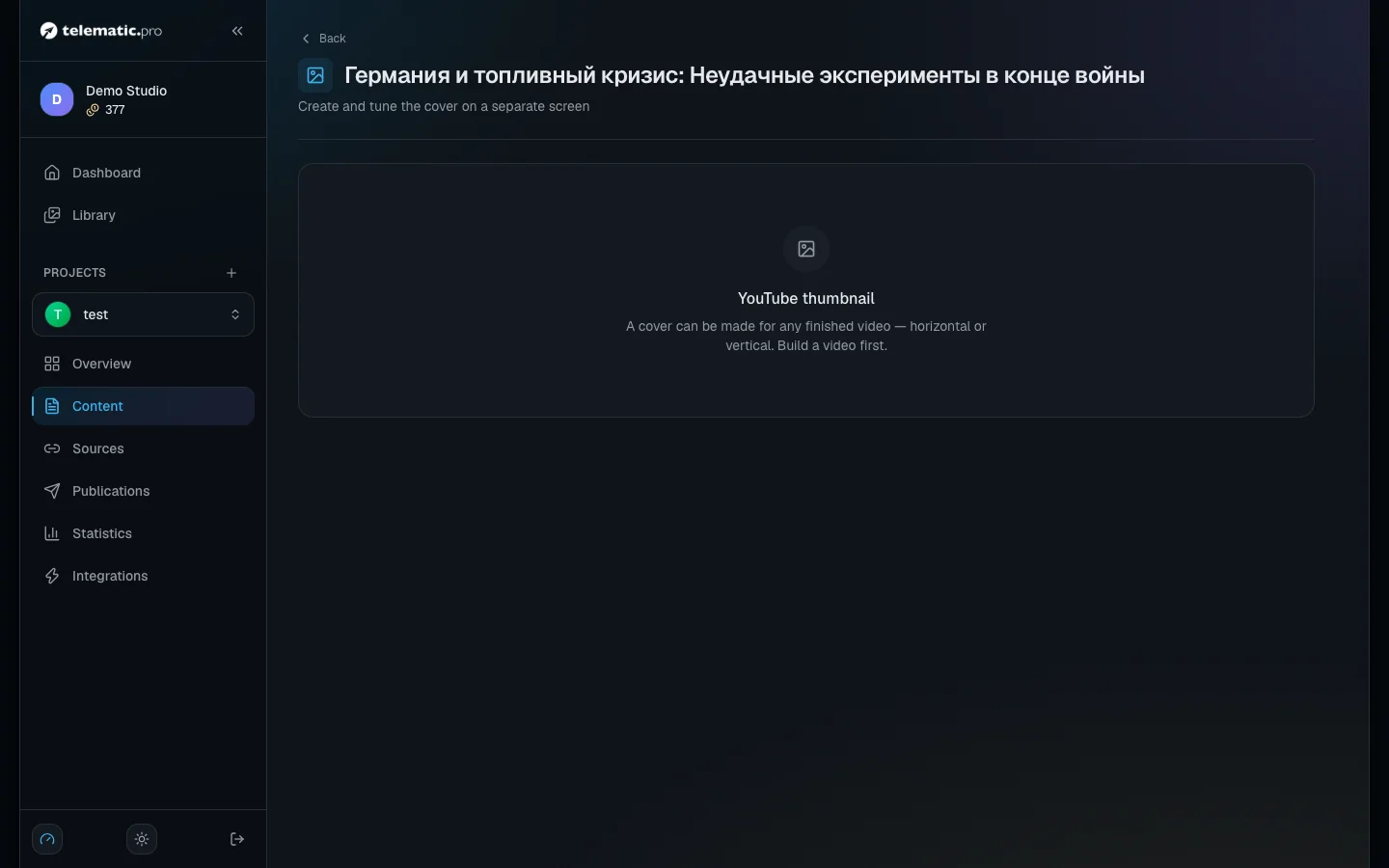
"Thumbnail". Choose the video — "Long-form · 16:9" or "Shorts · 9:16". Type a "Cover text" of 2–4 words or leave the field empty, choose a model and click "Generate thumbnail". A cover image costs from 2 tokens (GPT Image 2.5 Flare, the default) to 20 (Nano Banana Pro). "Generate variants" makes one cover from each model. "Upload cover" — your own image, up to 25 MB.
YouTube is opening custom covers for Shorts to channels gradually. Until yours can have one, YouTube shows a frame from the video.
"Chapters". For horizontal videos of a minute or longer, chapters are created automatically after the build. Fix the names, turn on "Append to the YouTube description" and click "Save". You need at least three chapters, each of 10 seconds or more.
"Link videos". For a vertical video, choose "Main video". If there is no vertical video, click "Make a teaser": the studio builds a teaser from the images you already have and links it itself. The "related video" link is finished by hand in YouTube Studio.
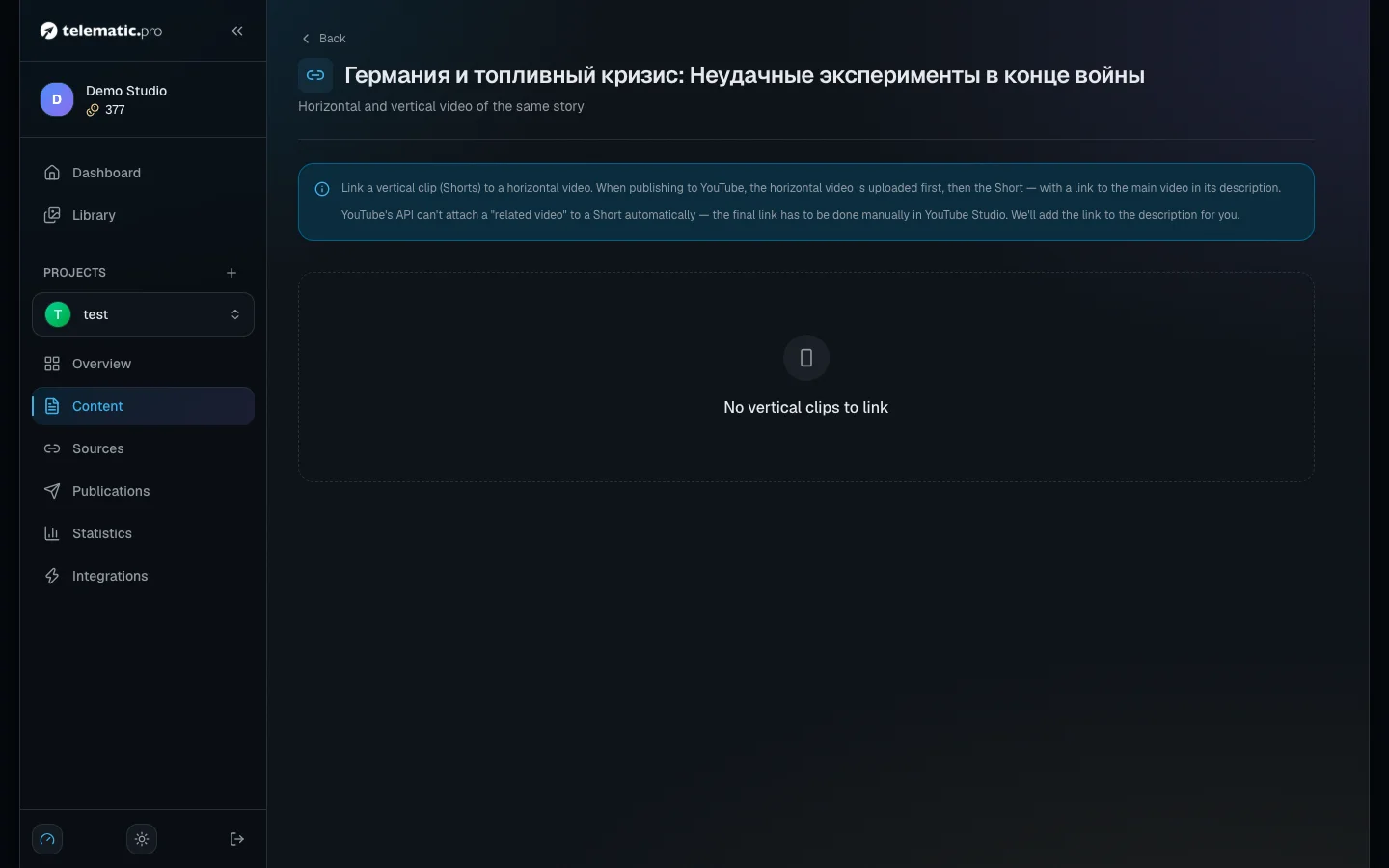
Publish to YouTube
- Connect the channel — see Projects and platforms.
- On the item page click "Approve", then "Publish".
- If both formats are ready, tick the ones you want in the "Which formats to publish?" window and click "Publish selected".
The long video goes out first, then the Short with a link to it in the description. The cover image you chose is sent to YouTube automatically. Publishing on a schedule is covered in Publications and calendar.
What it costs: examples
| Video | The sum | Total |
|---|---|---|
| 60 seconds, 6 scenes, the default model, no cover image | 6 × 2 + 15 voiceover + 60 build | 87 |
| 3 minutes, 18 scenes, Nano Banana 2 Lite, with a cover image | 18 × 5 + 45 + 180 + 5 | 320 |
| 3 minutes, 18 scenes, Nano Banana 2.1 (1K), with a cover image | 18 × 6 + 45 + 180 + 8 | 341 |
100 tokens = 1 $ or 1 €. The real amount can be a few tokens higher: the voiceover is rounded up scene by scene.
If the build stops or sits in a queue
- The "Queued for a worker..." status. A build is offered to the render servers first. If they are busy, the main server starts building the video within 5 minutes. There is nothing for you to do.
- The "Stage failed" card appears when nothing has moved for 20 minutes. Click "Retry stage": only the stage that failed is repeated, and the scenes you already have are kept.
- "Stop" next to the status only stops the progress being shown in your browser. The work carries on on the server and no tokens come back.
- "Insufficient token balance" — you do not have enough tokens. Top up your balance and try again.
- "Not available during trial access" — the trial period is on; video opens up after your first top-up.
What next
- Autopilot — a video and its publication in one click.
- Tokens and payment — the full price list.
- Solving common problems — YouTube publishing errors.