

By the end of this article your video will sound the way you want: with the voice you picked or your own, with captions and music. Setting it up takes 10–15 minutes and is saved in a preset. An AI voiceover costs 1.5 tokens for every 6 seconds of speech (15 per minute); your own recording is free.
How to open the studio and what a preset is are covered in the article on the script and scenes.
Choose a voice
- At the "Settings" step open the "Voice" tab.
- In the "Voiceover voice" block click "Choose a voice". Until you choose a voice, "Default" is used.
- The window has three tabs: "My voices", "Library" and "Manual". Narrow the list with the "Language", "Gender" and "Age" filters, and listen to a sample before you choose.
- In the "Voice character" block choose the delivery: "Narrator", "Storyteller", "Expressive" or "Energetic". "Listen to a sample" plays a short phrase.
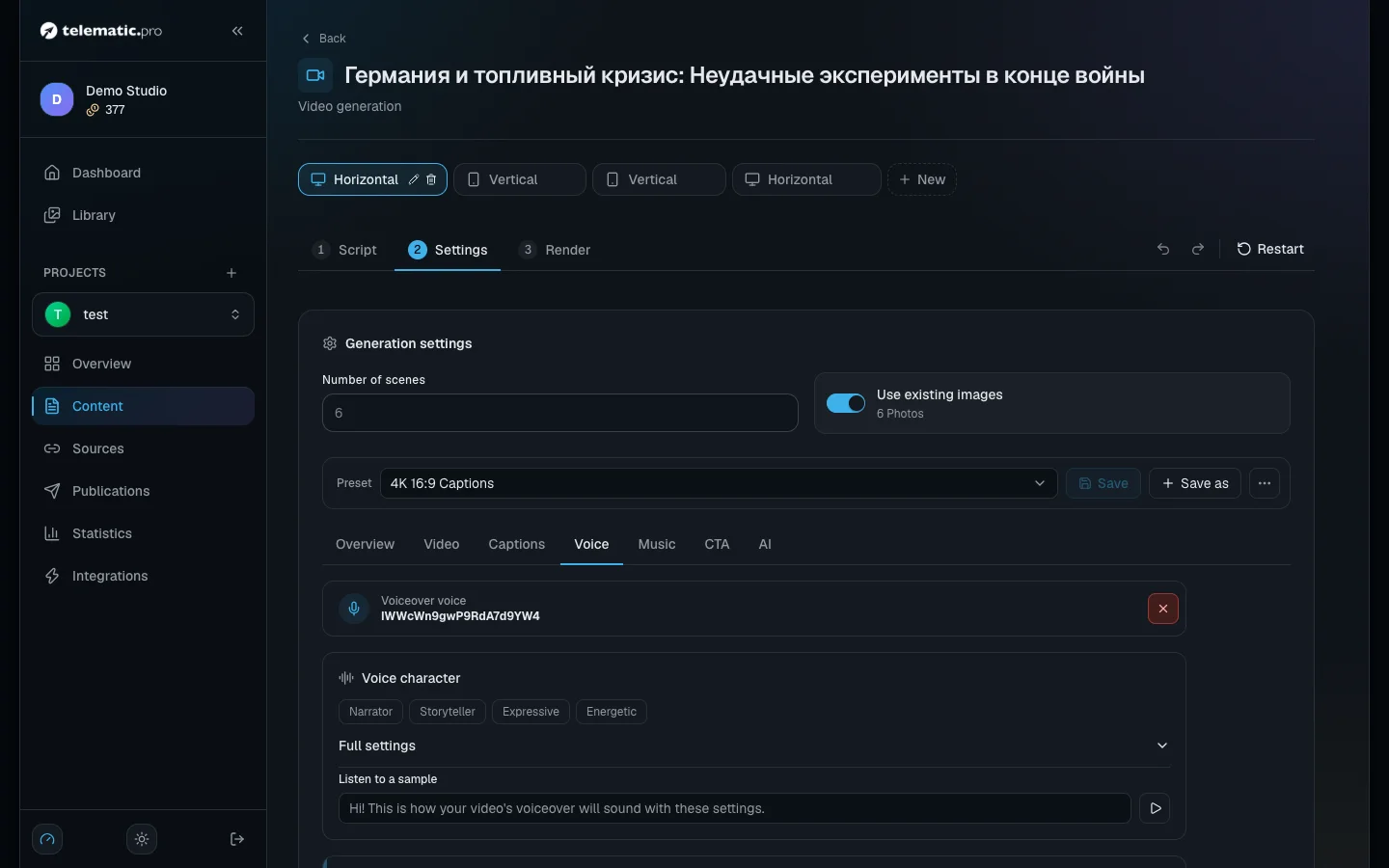
Further down the same tab are "Voice timbre" and the "Numbers as words" toggle, which makes numbers in the text be read out as words.
Set the speaking speed
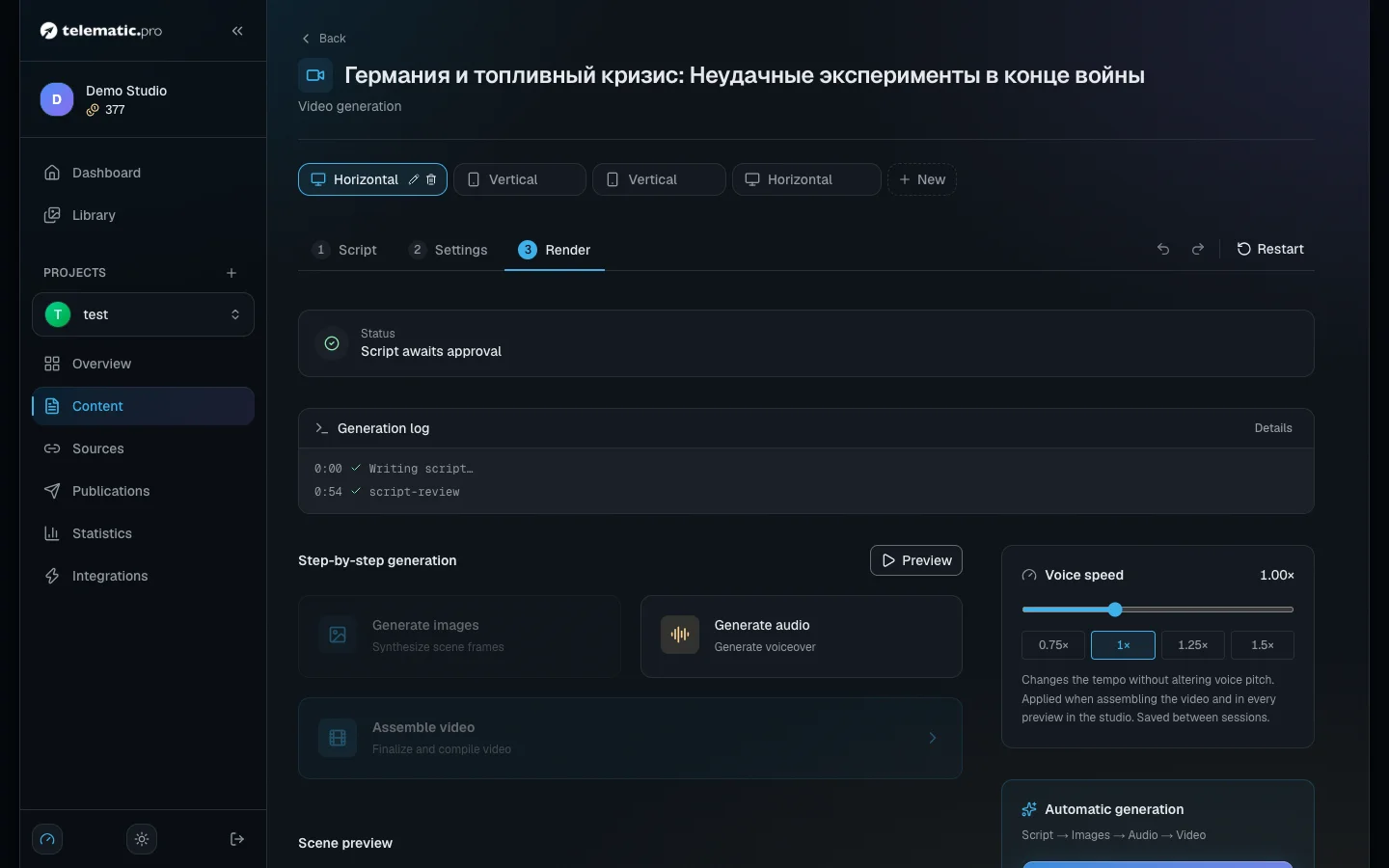
The speed is not part of the preset; it lives at the "Render" step, in the "Voice speed" block.
- Drag the slider between 0.5 and 2, or click a ready value: 0.75, 1, 1.25 or 1.5.
- Click "Preview" to hear the result.
The speed is applied during the build, and the pitch of the voice does not change. There is no need to create the voiceover again — just build the video once more. The speed is not part of the preset, so check it before every build.
Voice a scene yourself
At the "Script" step click "More actions" on the scene you need and choose how to do it.
Recording in the browser — "Record voiceover".
- Allow the browser to use your microphone and click "Check the mic".
- The scene's text is shown in the teleprompter. In "Auto by voice" mode it scrolls along with your speech.
- Click "Start recording", read the text, then click "Stop".
- Listen to the take. "Use recording" puts it into the scene, "Re-record" starts over.
A ready file — "Upload voiceover". The file can be up to 30 MB.
"Server-side recording cleanup" in the recording window decides how the recording is cleaned up:
| Mode | What it does | When to choose it |
|---|---|---|
| "Studio" | Cuts the hum, trims the silence at both ends, evens out the volume | A quiet room — recommended |
| "Gentle" | Light noise reduction | There is background noise |
| "Full" | Heavy cleanup; it can dull the voice | A noisy room |
| "Off" | Changes nothing, the silence at the ends stays | The recording is already processed |
"Audio editor" in the same menu helps you trim a recording or cut out a slip of the tongue.
Important. The "Generate audio" button at the "Render" step voices every scene with the AI voice. If some scenes hold your own recordings, the studio asks first whether to replace them.
Set up the captions
- Open the "Captions" tab and check that the "Enable Subtitles" box is ticked.
- Click "Style catalog" and choose a ready look. One click applies the whole thing. The "Live animation — slower render" note marks the looks with lively animation.
- In the "Mode" list choose the delivery: "Standard", "Karaoke" or "Creative".
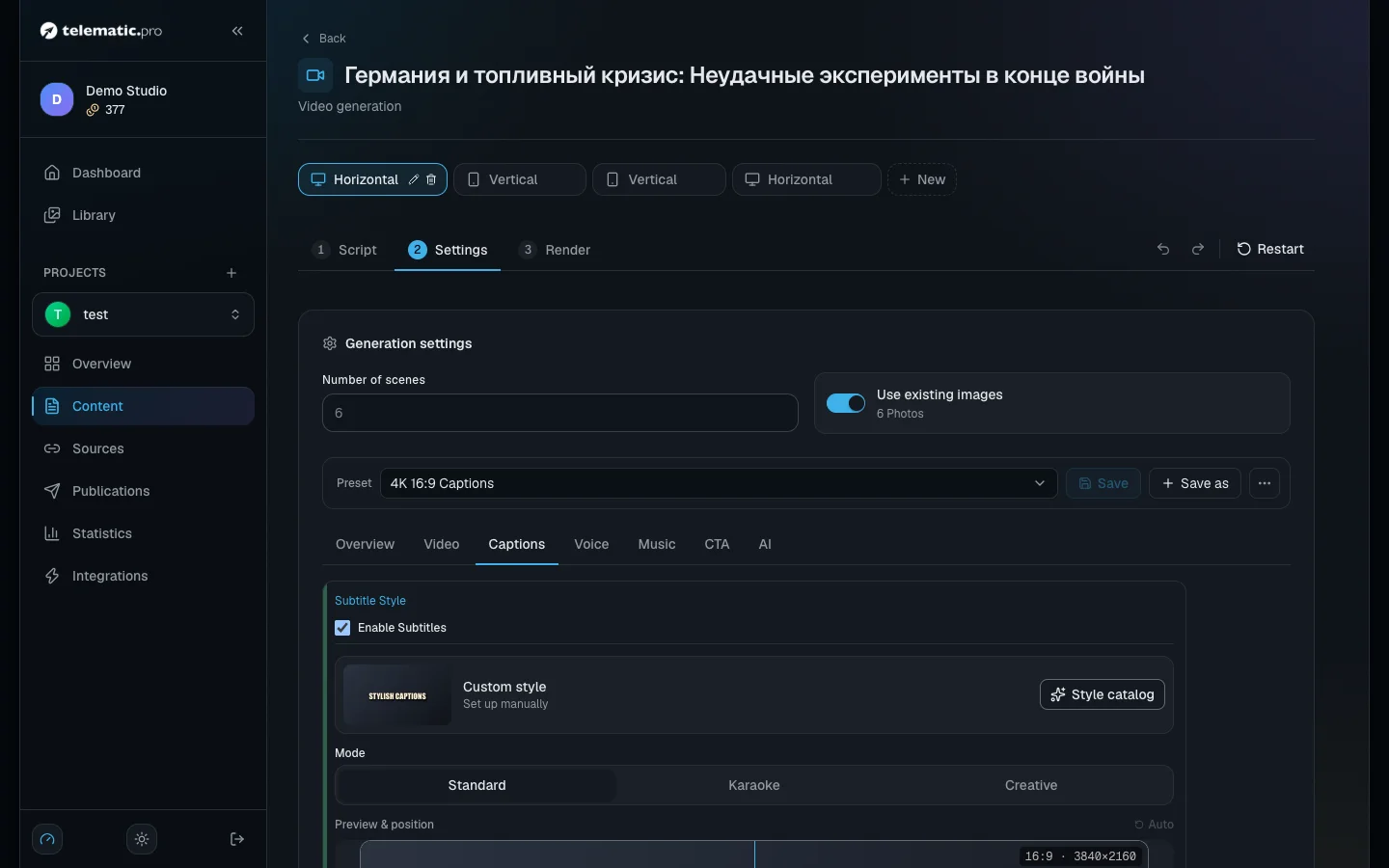
- In the "Preview & position" block drag the frame to where the captions should sit; the corners resize the area. In a vertical video, lift the frame above the Shorts buttons. "Auto" puts it back where it was.
- Open "Font & sizes" to choose the font, "Font Size" (from 20 to 150) and "Words Count" (from 1 to 10). The "Animation" and "Decoration" blocks change how words appear, the shadow and the backing.
Pick the music and the volume
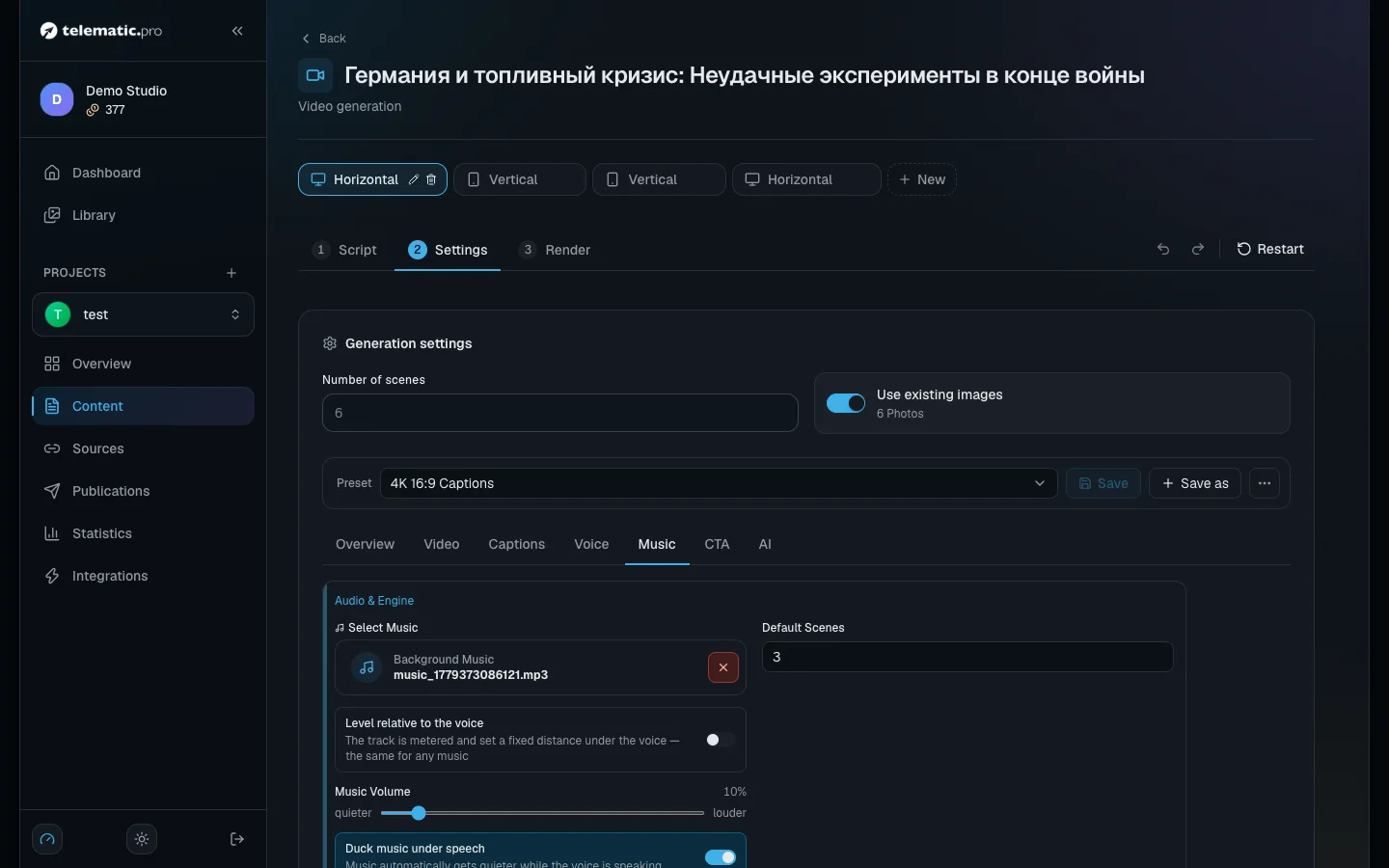
- On the "Music" tab click "Select Music". The "Select Background Music" window holds ready tracks and your own.
- The "Upload your own music" button adds a track of your own: a file up to 30 MB, no more than 10 tracks per account.
- "Level relative to the voice" sets how much quieter the music is than the voice.
- "Duck music under speech" turns the music down while someone is speaking. "Drop on the final phrase" lines the loudest moment of the track up with the last phrase.
The voice volume is set on the "Voice" tab:
- "Auto-level for YouTube" brings the video's loudness to the level YouTube expects (−14 LUFS). While it is on, the "Voiceover Volume" slider (0–200 %) is unavailable.
- "Recording denoise" removes noise from your own recordings.
Turn on the "Made with" end card and cashback
The "CTA" tab has the "Made with telematic.pro" + cashback toggle. Turn it on and a short end card is added to the video, with your referral link in the description.
For every such video, 5 % of the build cost comes back to your balance, rounded up, but no more than 5 tokens. A one-minute video: the build costs 60 tokens, the cashback is 3. A three-minute one: the build costs 180 tokens, the cashback is 5.
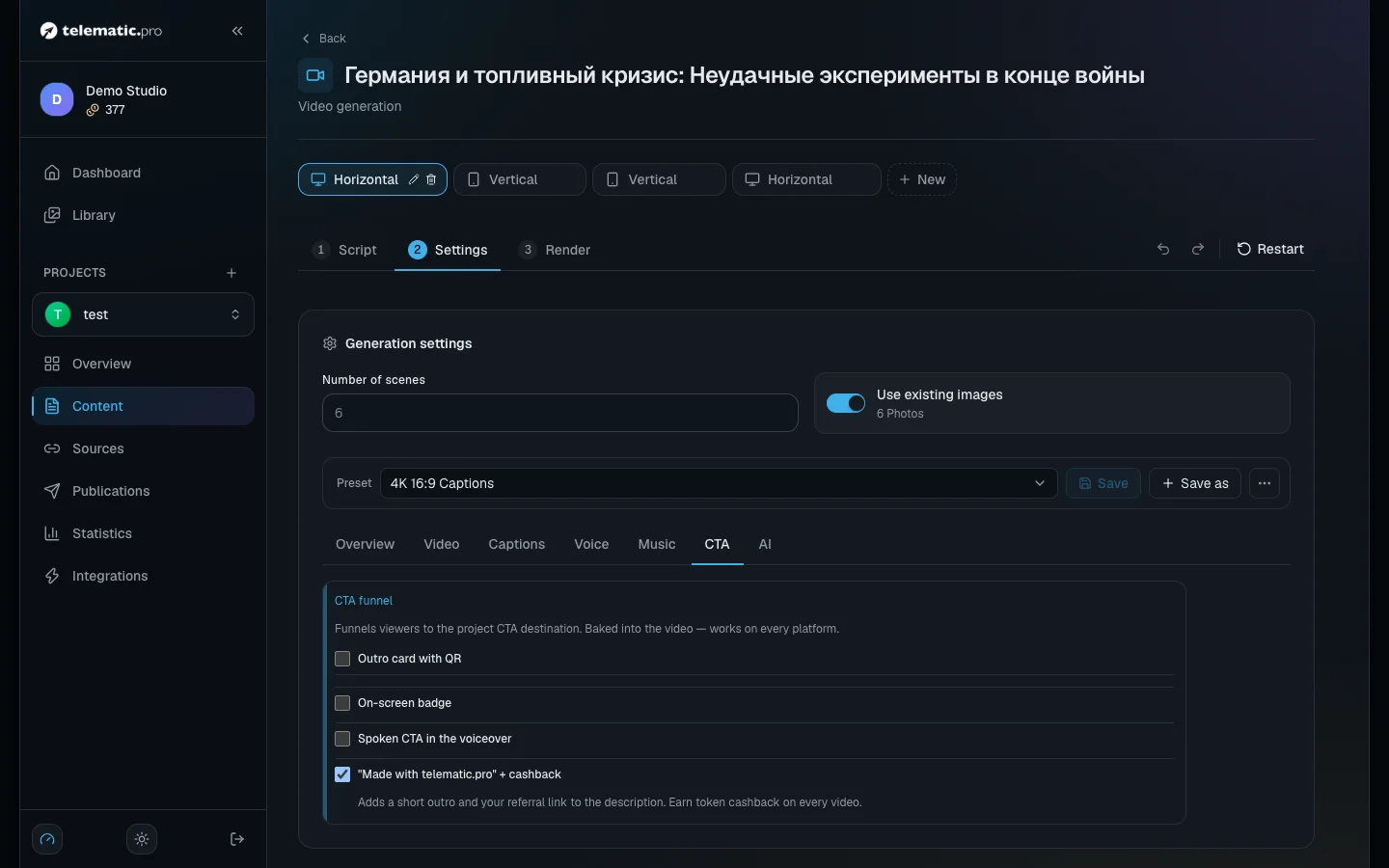
The same tab turns on "Outro card with QR", "On-screen badge" and "Spoken CTA in the voiceover".
Important. The end card does not appear if the project has no address to send viewers to.
What a voiceover costs
- The AI voice — 1.5 tokens for every 6 seconds of speech started. The seconds are counted scene by scene, with a minimum of 6 seconds per scene; the total is rounded up.
- Your own recording or an uploaded file — free. A scene with your own video and its sound is not voiced and not charged either.
- Voicing a scene again is charged again. The confirmation window shows the amount before anything is taken.
- Changing the speed does not recreate the voiceover, but a new build costs 1 token per second of video.
What it costs. A video of 10 scenes of 8 seconds each: each scene is two 6-second units, 20 in total, so 20 × 1.5 = 30 tokens. The estimate shows around 21, because it counts by the total length, so the real amount is usually a little higher.
What next
- Video: visuals, formats and YouTube — images, the build, the cover image and publishing.
- Tokens and payment — the full price list and topping up your balance.
- Autopilot — a video with these same settings in one click.