

A source is a place Telematic takes material for posts from: a channel, a website, an RSS feed, YouTube or the AI itself. Here you will choose a type, check the source and turn on collection on a schedule. It takes 5–10 minutes, and collection costs from 1 token per item.
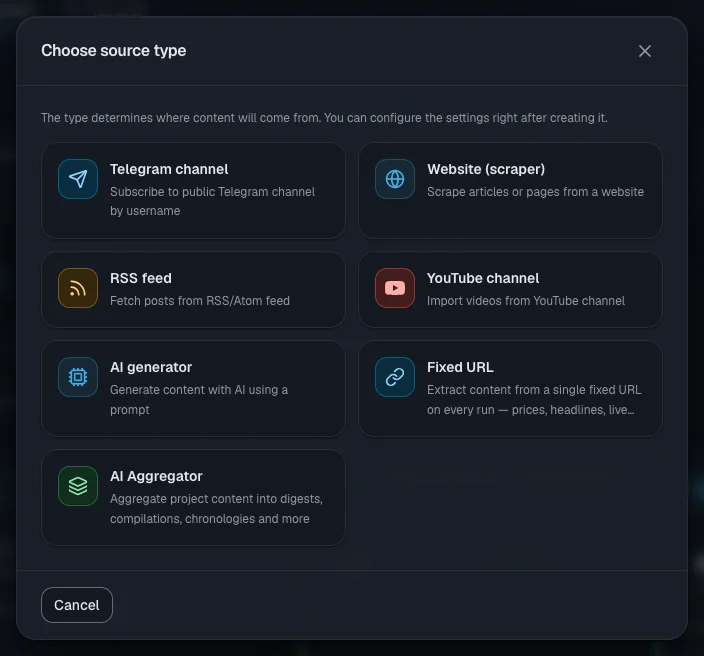
Choose a source type
The AI rewrites every collected item in your project's style right away — that is included in the price. The original is kept alongside.
| Type | When it fits | Price |
|---|---|---|
| "Telegram channel" | A public channel. One new post per run | 1 token per item |
| "Website (scraper)" | A site or blog with no RSS. From 1 to 50 articles per run | 1 per item |
| "RSS feed" | The site has RSS. One new article in full per run | 1 per item |
| "YouTube channel" | The channel's videos become text, 1–10 per run | 1 per minute of video; an already transcribed video — 1 |
| "Fixed URL" | One page that keeps changing: rates, weather, listings | 1 per item |
| "AI generator" | The AI writes an item from your description | from 1 (depends on the model) |
| "AI Aggregator" | Digests made from the project's accepted and published items | 1 per issue |
Important. "YouTube channel" is closed during the trial period (the "Not available during trial access" badge) and opens after your first top-up.
Add a source
- Open your project and choose "Sources" in the menu on the left.
- Click "Add source" and click the card you need in the "Choose source type" window.
- Fill in the only field, "Source Name", and click "Create".
- The source page opens. The source is already active, but it has no schedule — it will not start collecting on its own yet.
Set up collection
On the "Settings" tab the fields save themselves: wait for the "Saved" mark at the top. Only the Telegram channel name and the YouTube channel address are saved with the "Save" button.
- Telegram. Type "Channel username" without the @, save and click "Test". Only public channels work.
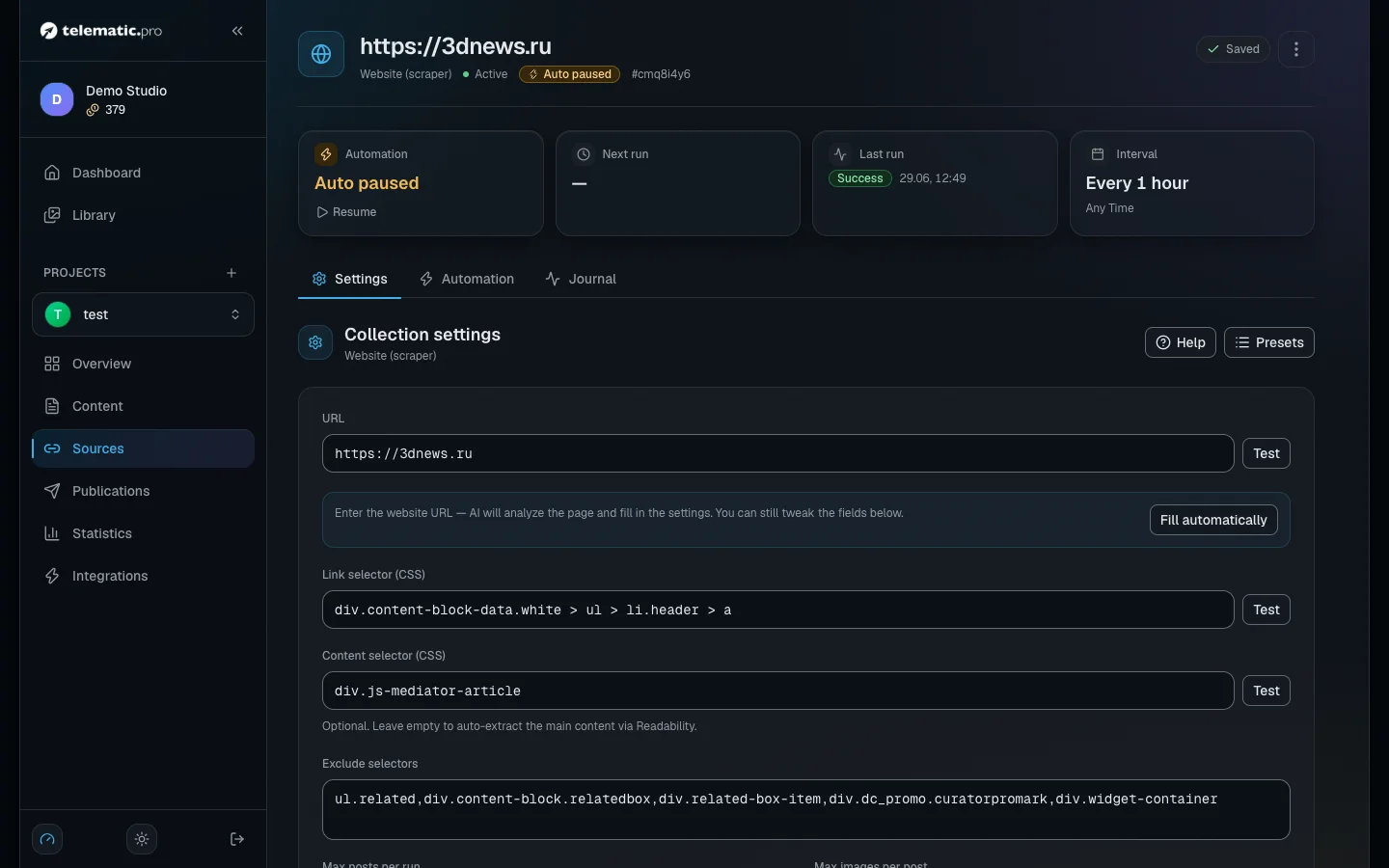
- Website. Enter the address and click "Fill automatically": the AI will find the links to articles and the text on the page, free of charge. If the site has RSS, the service will tell you — a feed is more reliable.
- RSS and fixed URL. The address and the "Test" button are all you need.
- YouTube. The channel address, "Max minutes per video" (0 means the whole video) and "Max videos per run".
- AI generator. Describe the topic in the "AI instructions" block. One run makes one item; the AI sees the last 10 headlines and picks a new topic. The "Don't fabricate things that didn't happen" toggle adds a fact check.
- Aggregator. Choose "Output type" (digest, roundup, timeline), set the filters and click "Check filters".
For the other types the "AI instructions" block sets the tone of the rewrite. The "Presets" button opens "Template presets": click a template and the fields fill themselves in.
Check the source with a test run
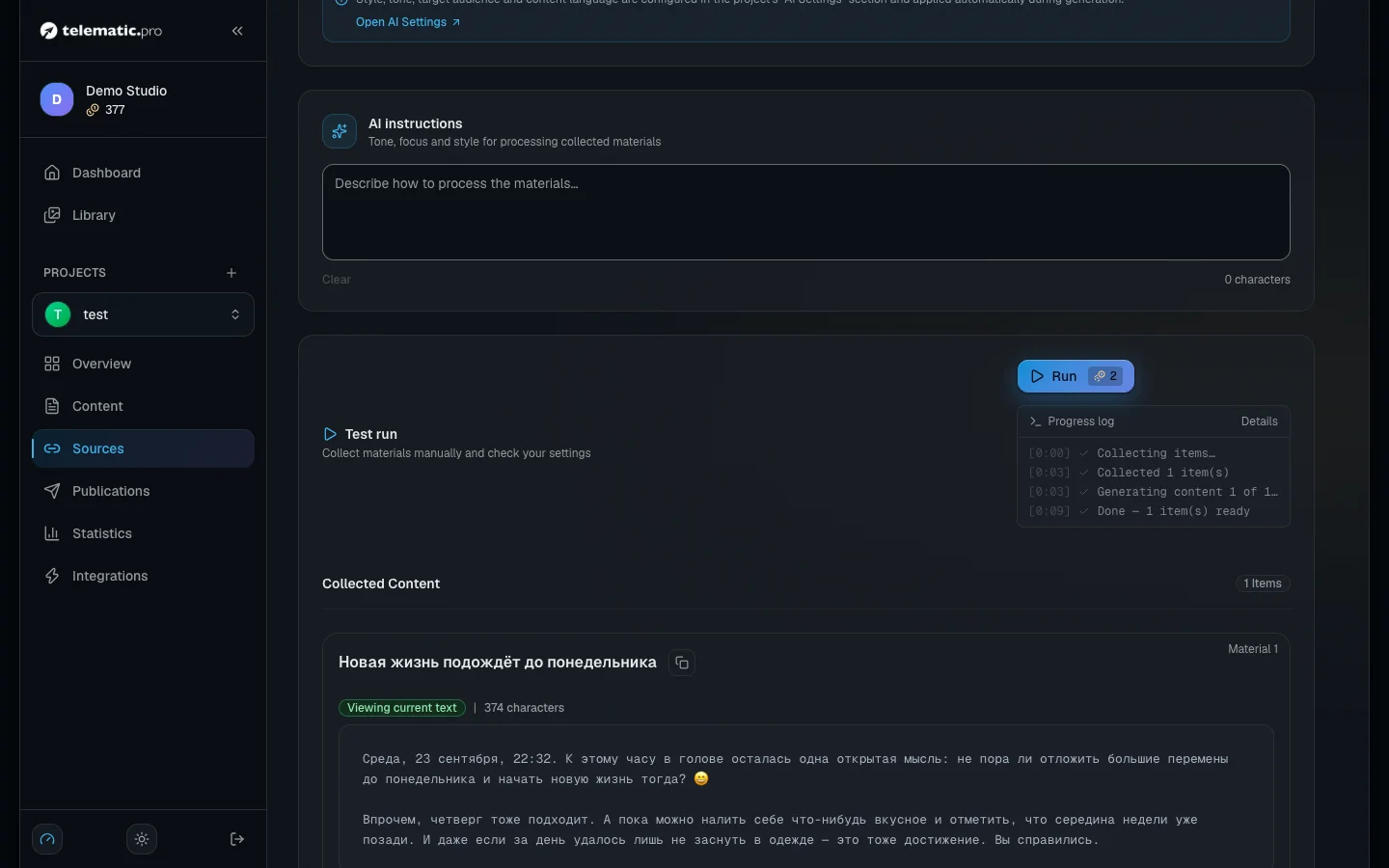
- In the "Test run" block click "Run" — the price is shown on the button itself.
- The run's progress appears line by line under the button — wait for it to finish.
- In the "Collected Content" list each item has three actions:
- "Create draft" — the item appears in the project's content as a draft;
- "Reject" — it is saved as rejected and will not be collected again;
- "Remove" — this only hides it: next time the item is collected and paid for again.
Important. A test run charges tokens like any other run, but nothing reaches your content without the "Create draft" button. The project filter, auto-accept and auto-analysis take no part in a test.
What it costs. The price is charged per item, not per run. A run that finds no new items costs 1 token (except for YouTube).
Turn on collection on a schedule
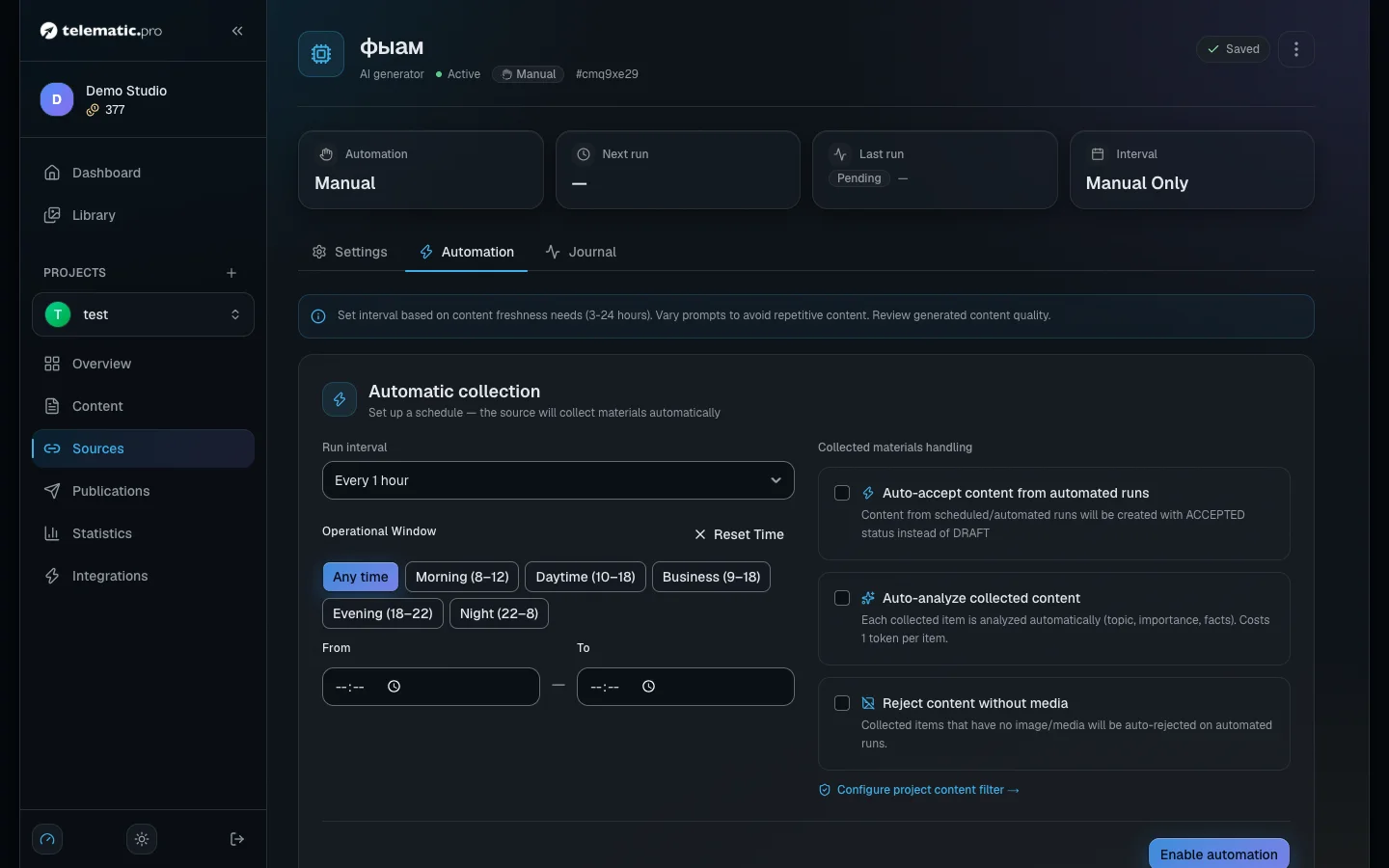
- On the "Automation" tab choose "Run interval" — from 5 minutes to 30 days.
- In the "Operational Window" block set the hours when collection is allowed, for example "Working day (9–18)".
- In the "Collected materials handling" block turn on what you need:
- "Auto-accept content from automated runs" — items are accepted immediately and a version of the post is created for every connected platform (from 1 token per platform, depends on the model);
- "Auto-analyze collected content" — 1 token per item. Set the "Accept when importance ≥" and "Reject when importance ≤" thresholds: anything between them stays a draft;
- "Reject content without media".
- Click "Enable automation". The first run happens after one full interval, not straight away.
Without those toggles, everything collected becomes a draft. Topics you do not want are cut off by the project filter (the three-dot menu on the project page → "Content filter"): by stop words, free of charge; by meaning, 1 token per item.
Important. There are two pauses: one on the source itself (the button on its card in the list) and one on the schedule ("Pause"). Scheduled collection only runs when both are active. A test run works even while paused.
Keep an eye on the run log
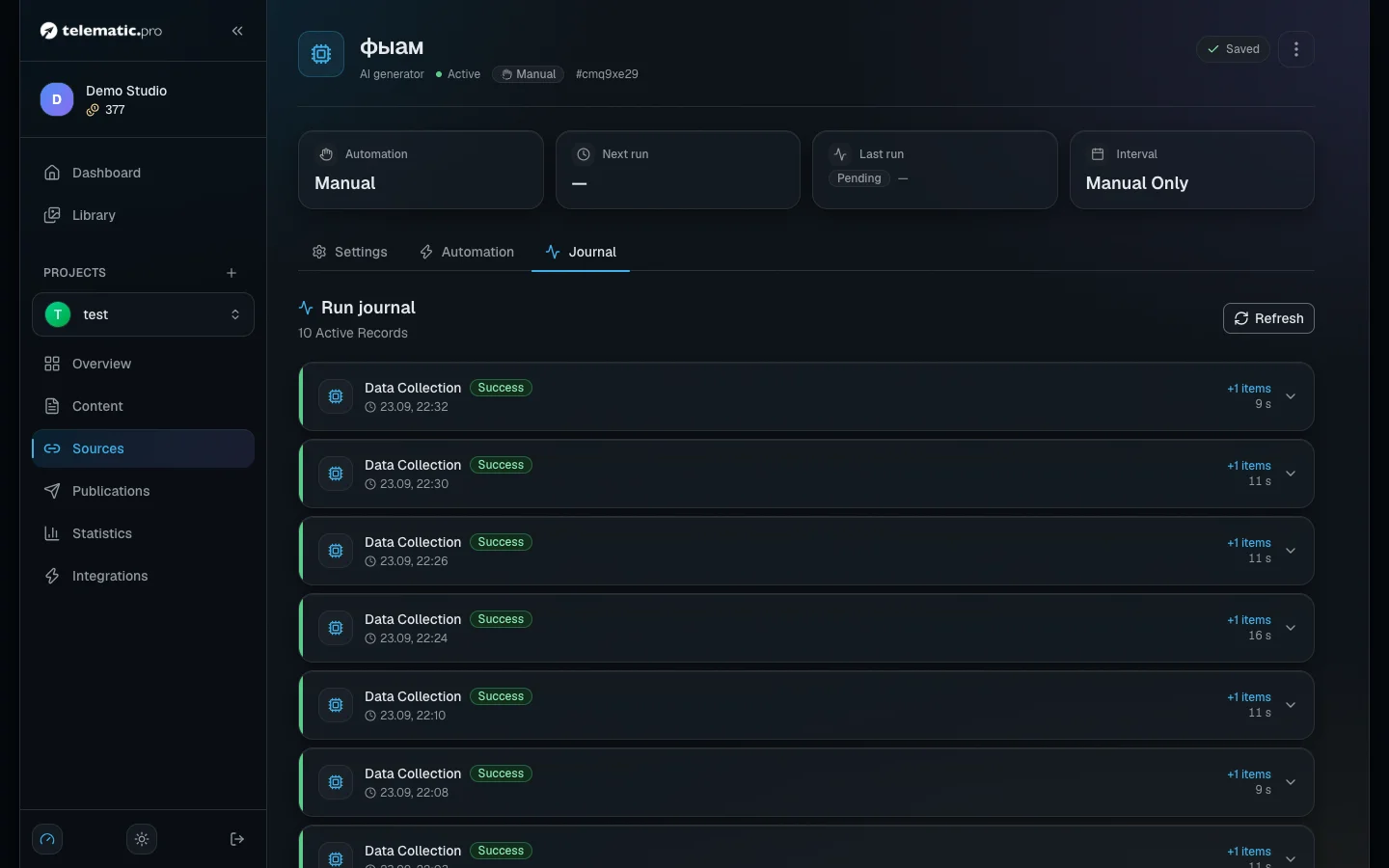
The "Journal" tab shows the last 10 runs; the shared "Runs log" tab in the source list shows 5 for each source.
- "Success" — items were collected, with the count next to it.
- "Idle run" — there are no new items.
- "Skipped" — there were not enough tokens. This does not count as an error.
- "Failed" — open the line to read why.
Duplicates and old items
- Telegram, website and RSS sources skip a link the project already has in any status. So it is better to reject what you do not need than to delete it.
- A fixed URL creates a new item on every run, even if the page has not changed. The AI generator, the aggregator and YouTube do not check for repeats either.
- Drafts you never touch are rejected automatically after a while, rejected ones go to the archive, and the archive is deleted along with its files. Each step takes 30 days by default; you can change the periods in the project menu → "Content retention".
- "Delete" wipes the schedule and the log. The items already collected stay in the project.
If something goes wrong
| What you see | What to do |
|---|---|
| The run button is grey | Wait for the "Saved" mark |
| The site is unavailable, no links found | The site is closed to robots or requires a login. Try its RSS feed |
| The Telegram channel is not found | Check the name without the @ and make sure the channel is public |
| "Out of tokens — top up to resume" | After three skips in a row the schedule pauses, and it resumes by itself once you top up |
| "Not configured" | Five errors in a row. Fix the settings and click "Edit" → "Save" |
What next
- Working with content — how to check drafts and prepare posts.
- Publications and calendar — how accepted items go out to your platforms.
- Autopilot — the whole cycle with no manual steps.
- Tokens and payment — every price in one place.