

Everything your sources collected or you created yourself sits in the "Content" section. Here you will learn to sort through drafts quickly, polish the text, prepare a version for each platform and add images. Reading and editing by hand are free; anything the AI does costs from 1 token.
Get to know the statuses
| Status | What it means |
|---|---|
| "Draft" | The item has been collected or created and is waiting for you to check it |
| "Accepted" | Approved: versions for the platforms are being prepared and the item is queued for publishing |
| "Rejected" | Not published. Kept so that the source does not collect it again |
| "Scheduled" | The item has a date to go out |
| "Published" | It went out on every active platform |
| "Partially published" | It did not go out everywhere — for example, a video platform is waiting for the video |
| "Archived" | Taken out of circulation; the history and statistics remain |
You can approve a draft or a rejected item. "Restore" returns a rejected or archived item to drafts — you will have to approve it again.
Find what you need in the list
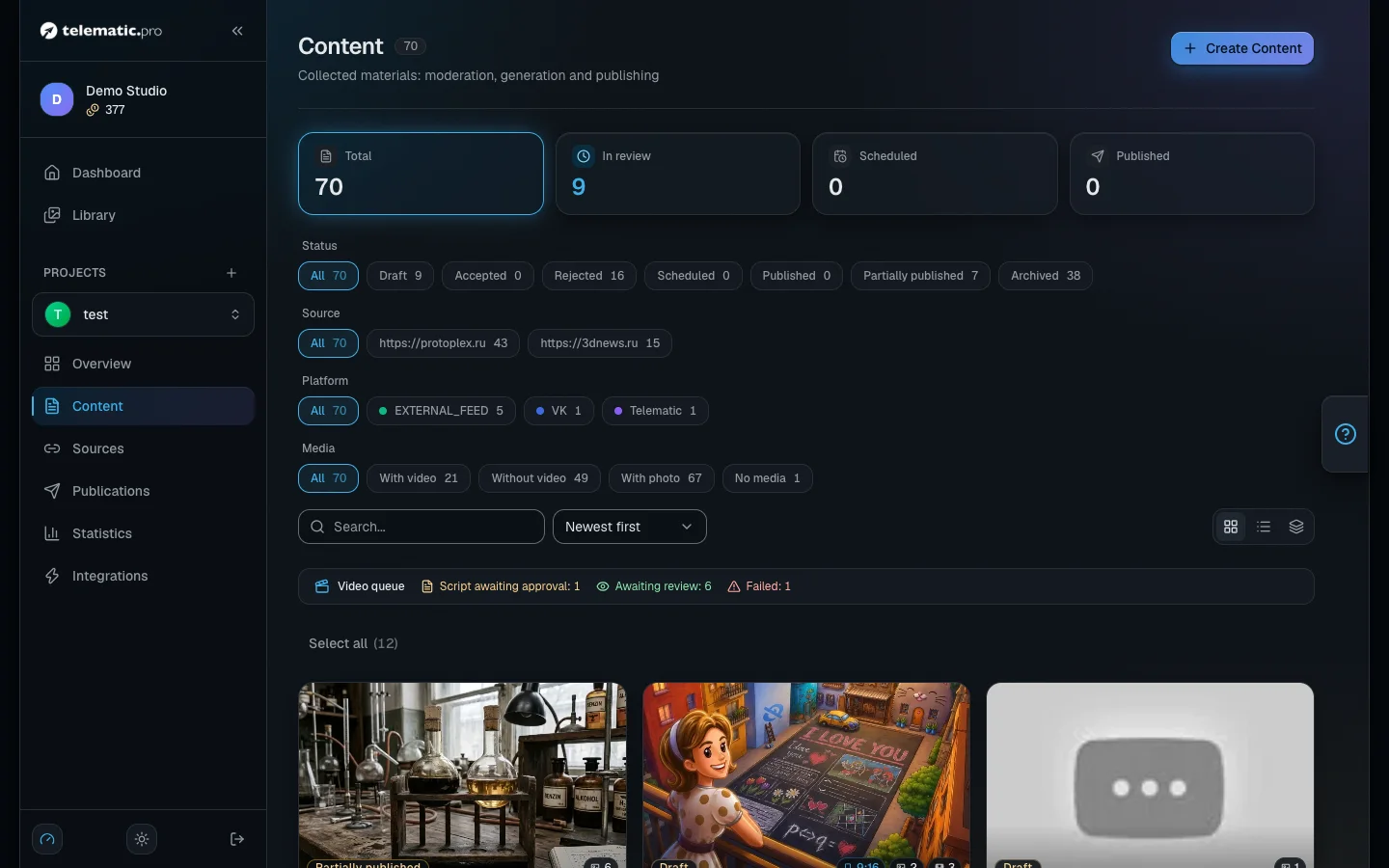
- Open your project and choose "Content" in the menu on the left.
- The tiles at the top ("In review", "Published" and the rest) are quick filters by status.
- Below them are the "Status", "Source", "Platform" and "Media" groups, plus search and sorting. Sorting by importance works for items that have been through AI analysis (1 token, the "Analyze" entry in the card menu).
- The icons on the right switch the view: "Grid", "List" and "Triage".
The filters are written into the page address, so you can share a link to a filtered list with a colleague.
Check the drafts
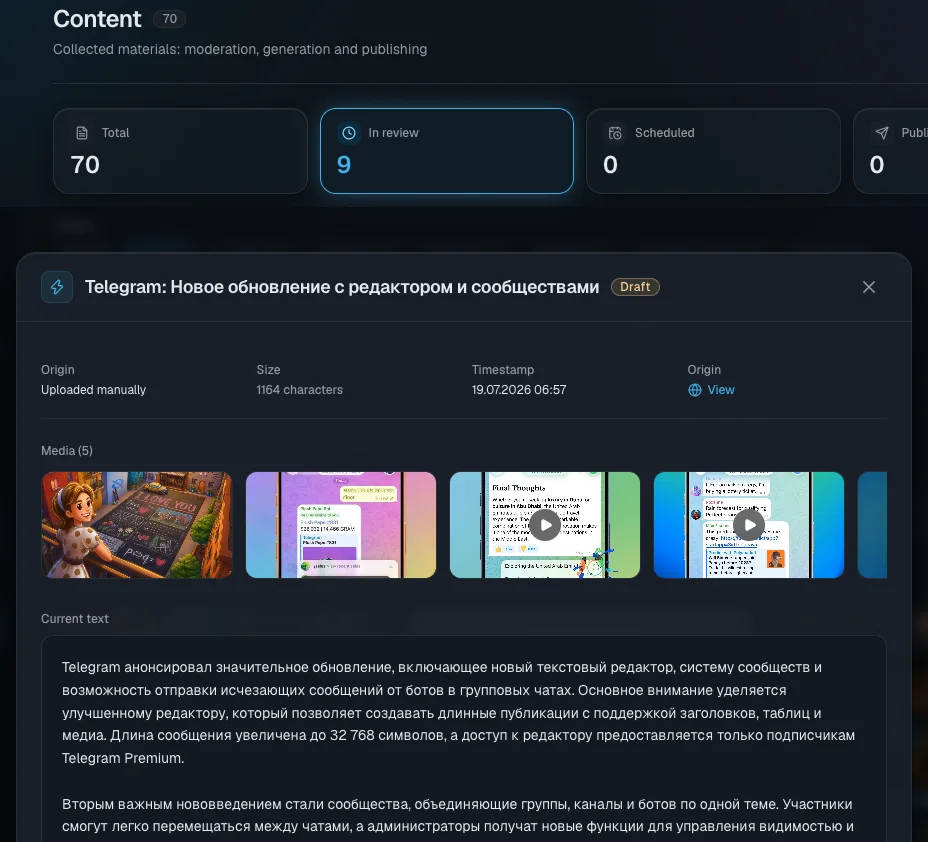
- Click a draft card — a window opens with the text, the images and a link to the original.
- Click "Approve" or "Reject". The "View Content" button opens the item's full page.
- When you have a lot of drafts, switch to the "Triage" view: items come one at a time, A approves, R rejects, the arrows move through them and Esc closes the view.
What it costs. Approving starts the creation of a post version for every connected platform: from 1 token per version, the price depends on the model. The number of versions is written on the button.
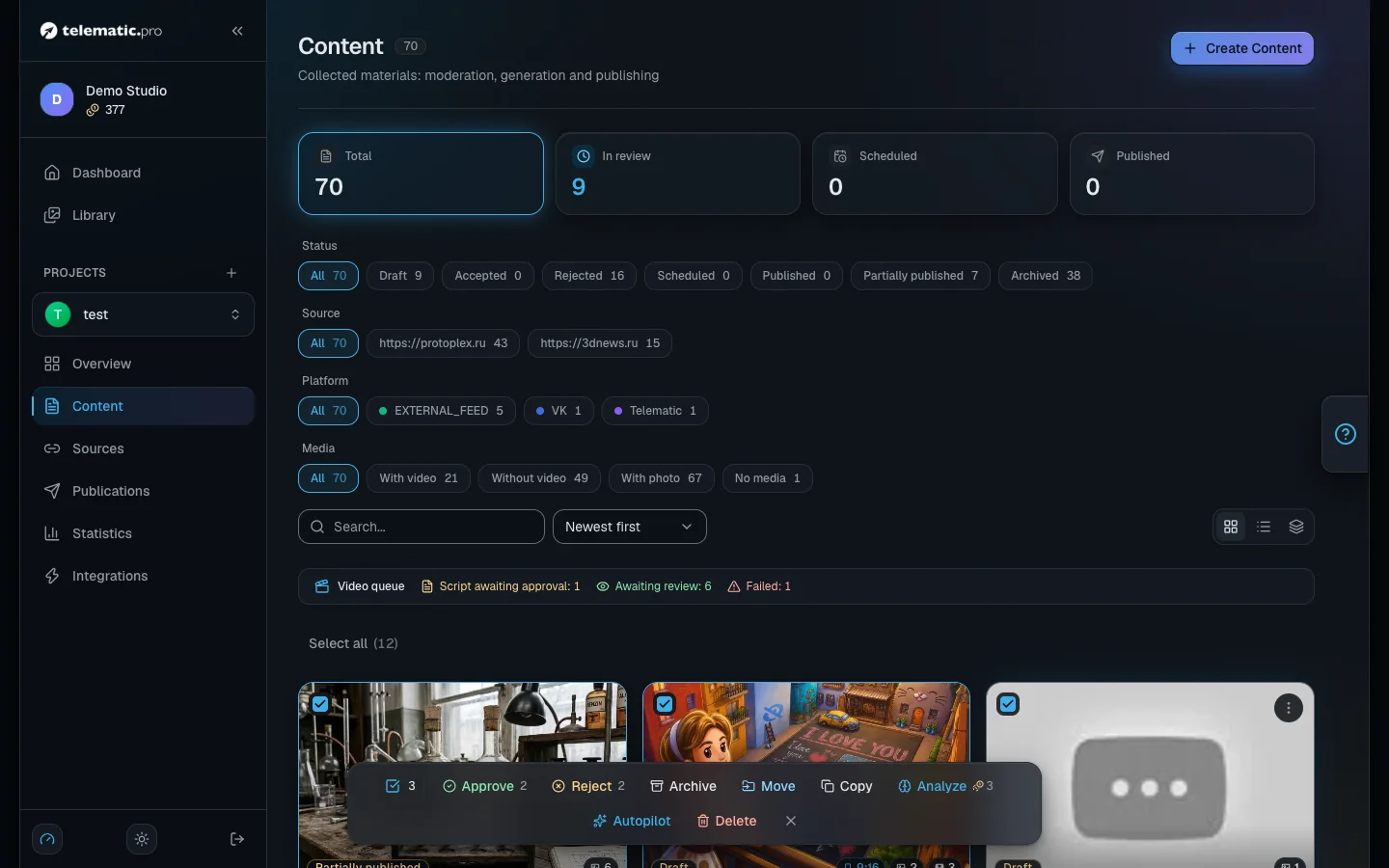
To handle several items at once, tick the cards or click "Select all" — only the cards already loaded get selected. A bar appears at the bottom: approve, reject, archive, restore, "Move", "Copy", "Analyze" (1 token per item) and delete. The action only applies to items whose status fits.
Create an item yourself
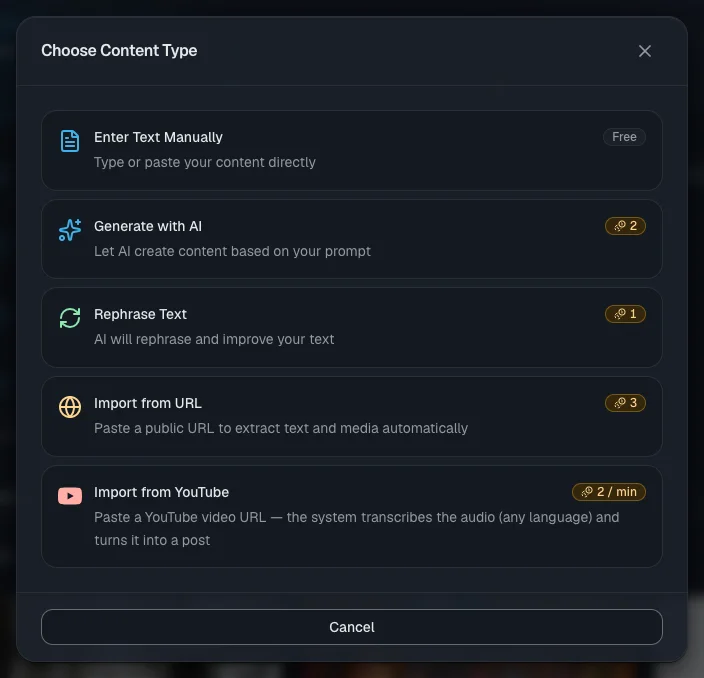
Click "Create Content" and choose a type in the "Choose Content Type" window.
| Type | What it does | Price |
|---|---|---|
| "Enter Text Manually" | You paste a finished text; the headline can stay empty | free |
| "Generate with AI" | The AI writes a text from your request | from 1 (depends on the model) |
| "Rephrase Text" | The AI rewrites your text | from 1 (depends on the model) |
| "Import from URL" | Pulls the article and images from one page | 1 token |
| "Import from YouTube" | Turns one video into text | 1 token for every minute started |
To import a video, paste the link to it and click "Transcribe". In the "Import settings" block you can choose the model and "Output length". Your balance is checked before it starts, and you can follow the work in the window.
The result is a draft: the transcript goes into the original text, the post in the project's language into the current text, and the video's cover image into the pictures. A URL import will not take a page the project already has; the same video can be imported more than once.
Polish the text
On the item page, on the "Base content" tab, there are two texts: "Original" (the original) and "Current text", which is what posts and videos are made from. The "Actions" menu above the current text offers:
- "Edit" — editing by hand, free.
- "Shorten Text" and "Adapt Text" (a rewrite following your instructions) — from 1 token, depends on the model.
- "Regenerate" — writes the text again from the original. Free, but it does not ask for confirmation.
- "View history" — every earlier version; you can bring any of them back.
Important. The "Edit" entry in the three-dot menu at the top of the page edits the original text and the headline, not the current text.
Model and depth. The model button also holds "Reasoning depth": "Fast", "Balanced" or "Deep". Deeper is more accurate but slower and pricier: the price is multiplied by 0.75, 1 or 1.5 (rounded), and the button already shows the result. Your last choice is remembered. Sources, video translation and montage pick the model the same way.
Prepare the versions for your platforms
- Open the "Platform versions" tab: every connected platform has its own card.
- Click "Generate" on a card or "Generate for remaining" at the top. The price is from 1 token per version, depending on the model; the model is chosen with the gear icon.
- From the card menu you can edit a version by hand, look at "Preview", shorten it, adapt it or create it again.
A version is made from the current text according to the project and platform settings. VK gets plain text, YouTube has the formatting stripped out, and Telegram keeps its styling. The card for your own website only shows whether the site has picked the item up.
Important. If you edit the main text afterwards, the versions you already have will not update themselves — create them again.
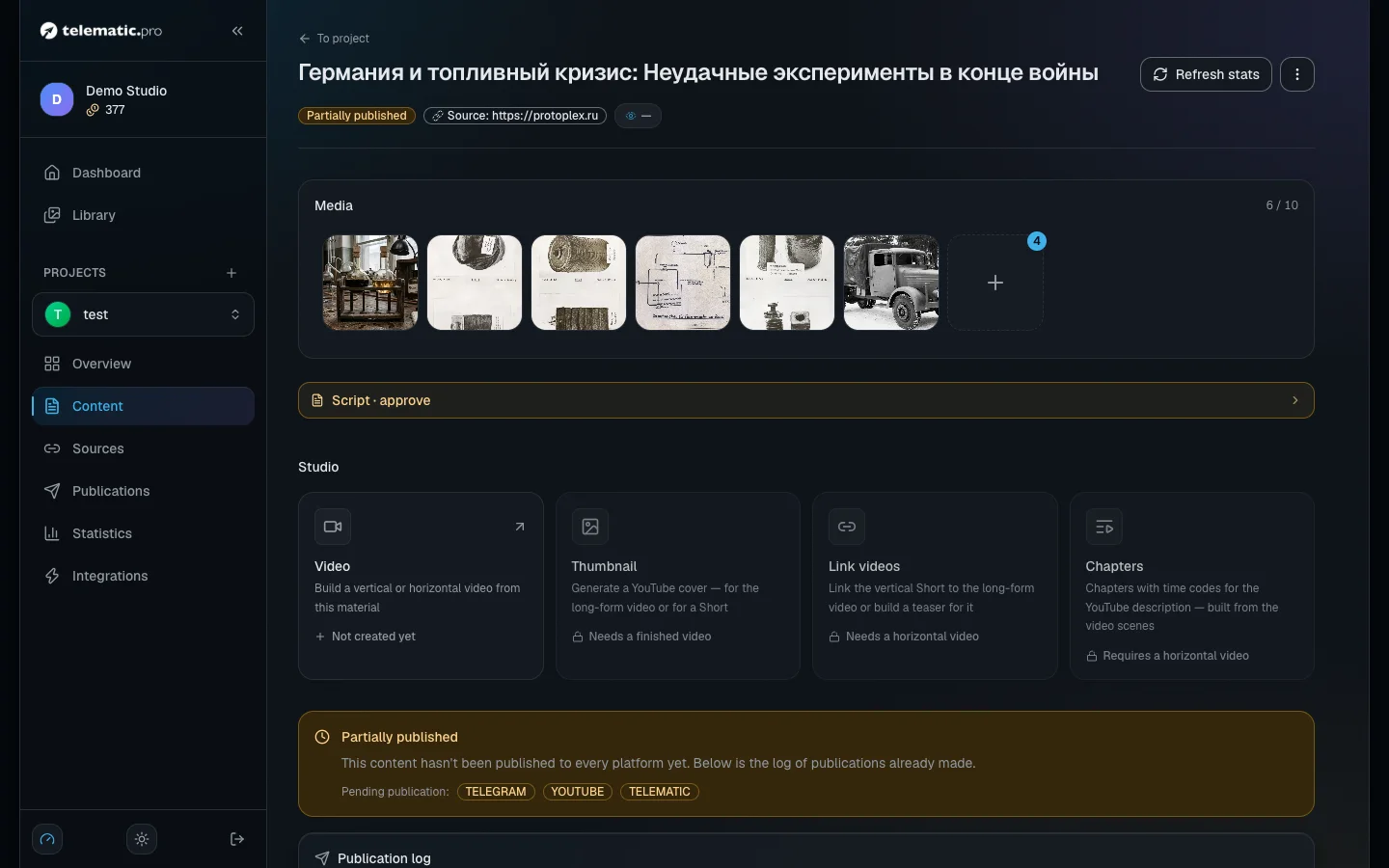
Add images
The "Media" block holds up to 30 files. The "+" button opens the "Add media" window with the tabs "Link", "Upload", "AI Generate" and "Choose from library".
- "Custom prompt". Describe the image and choose the model, the quality, the format (1:1, 16:9, 9:16), the resolution and the style. The price is visible before you click "Generate": from 1 token, and up to 36 for the top models at 4K.
- "Automatic". Give a number and the AI will read the post and come up with the illustrations itself. Tokens are charged at the end, and only for the images that worked.
- "Stylize" — a button on any image: choose a style and the result is added next to it, leaving the original unchanged. It counts as one generation, and the price is shown in the window.
- "Library" — your personal storage across all projects: uploaded, AI-made and collected files. The "Automontage" tab holds the pictures the automontage ordered: you can view and delete them, but posts and normal modes don’t use them, and you can’t upload your own there.
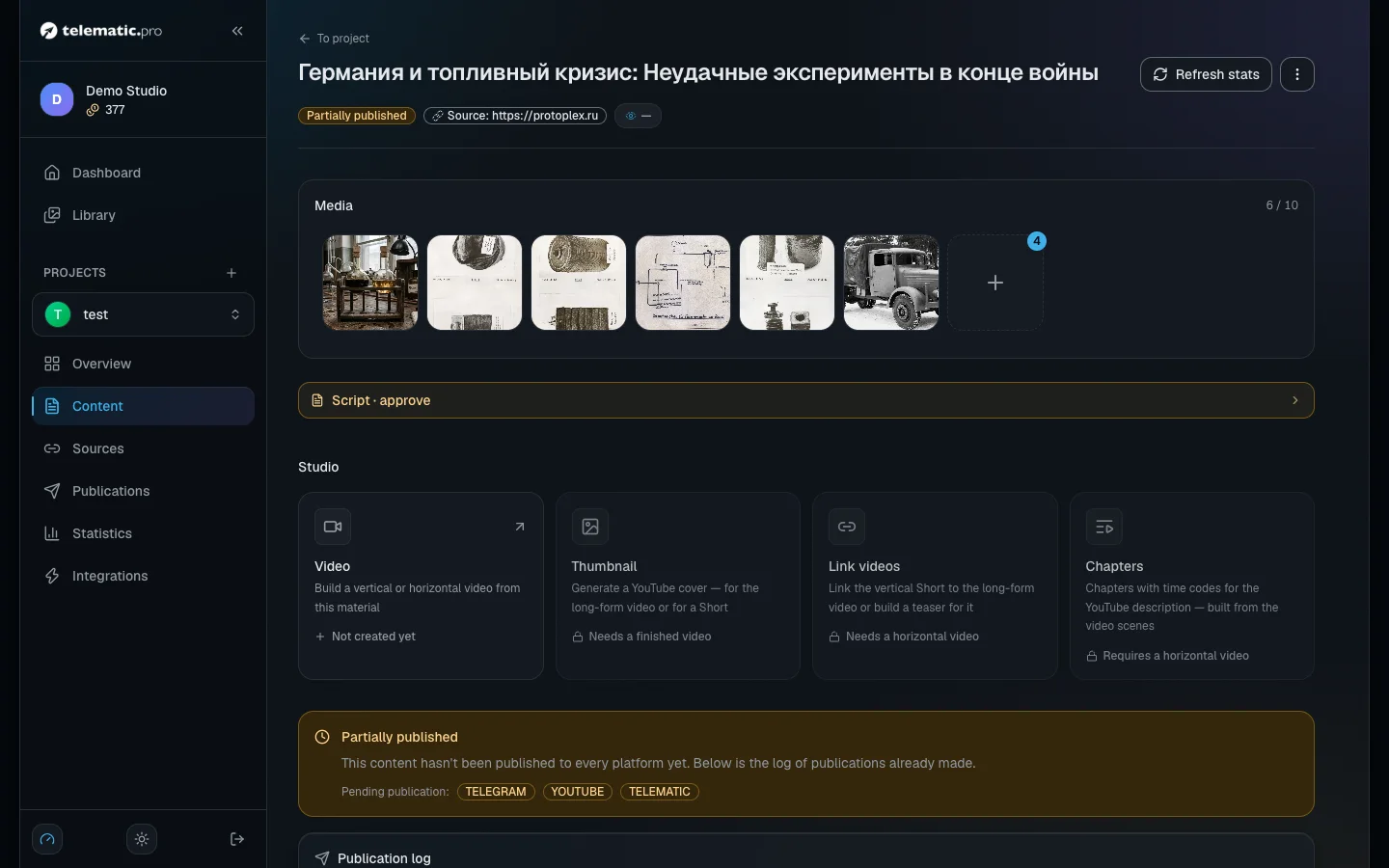
Important. Creating images with AI is not available during the trial period — it opens after your first top-up.
Move or copy an item
- In the card menu, on the bulk action bar or in the page menu choose "Move" or "Copy".
- Choose a project and confirm.
When you move an item, it goes over in full — with its images, text versions and videos. Platform versions that have not been published are deleted, because the new project has different channels. A copy always arrives as a draft with no publications; if the project's language is different, the text is translated.
What next
- Publications and calendar — how to send a finished item out.
- Video: script and scenes — how to turn a text into a video.
- Content sources — how to set up automatic acceptance.
- Tokens and payment — the full price table.