

By the end of this article you will understand every number on the statistics page and know why some posts show a "—" instead of views. Collecting statistics and the Advisor's tasks are free. Tokens are only spent on AI ideas and the drafts made from them.
Open your project's statistics
- In the project menu open the "Statistics" section.
- With the switch at the top right choose a period: "7D", "30D" or "90D". The default is 30 days.
- Look at the five cards: "Views", "Reactions", "Comments", "Publications", "Engagement". Under each one is the change as a percentage, labelled "vs previous period".
Engagement is reactions plus comments, divided by views.
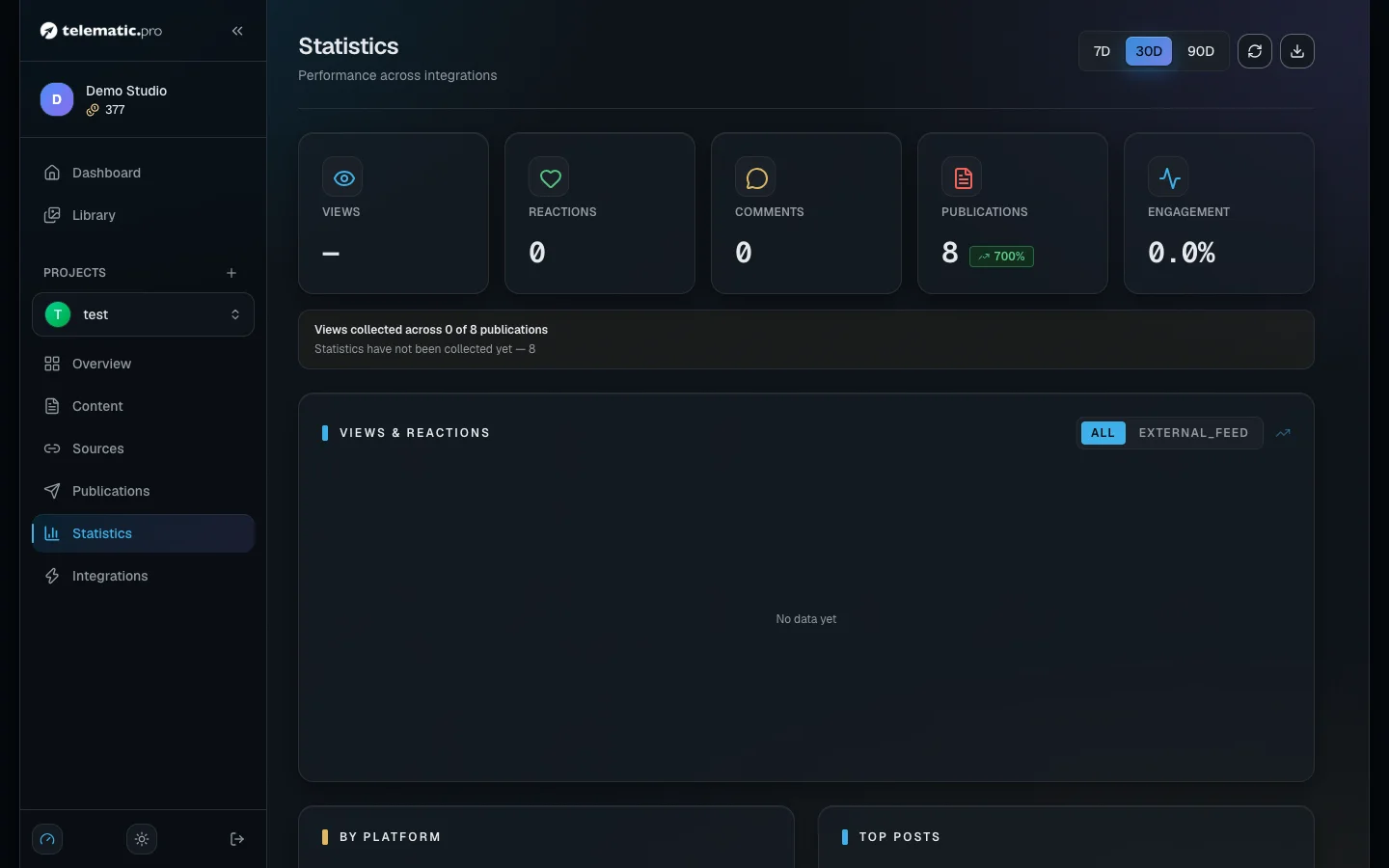
Below are the "Views & Reactions" chart, the "By Platform" block (views and the number of publications for each platform) and "Top Posts", where a line takes you to the item's page.
Next to the period are two icon buttons. "Refresh" re-reads the report — the platforms are not polled again. "Export CSV" downloads a file with the totals, the lines per platform and the day-by-day numbers.
What is collected from each platform
| Platform | What you see in the statistics |
|---|---|
| Telegram | views and reactions; the channel needs a public address in the form @name |
| YouTube | views, likes, comments |
| VK | views, likes, shares, comments; older posts may have no views |
| Your website | whatever numbers the site sends itself — see Website integration |
| TikTok | not collected yet |
The numbers are tied to a specific publication, so you can see exactly which item worked.
How often the numbers are updated
The service goes round your publications every 10 minutes by itself. The older a post is, the less often it is checked:
- for the first 2 hours — every 10 minutes;
- up to a day old — every 2 hours;
- up to 30 days old — once a day;
- older than 30 days — only posts that have never returned any numbers.
Right after a post goes out you will see "Statistics are being collected": the first numbers appear within 10 minutes. If you would rather not wait, open the item and click "Refresh stats" — the service polls the platforms for that item straight away.
"—" or 0: how to read the views
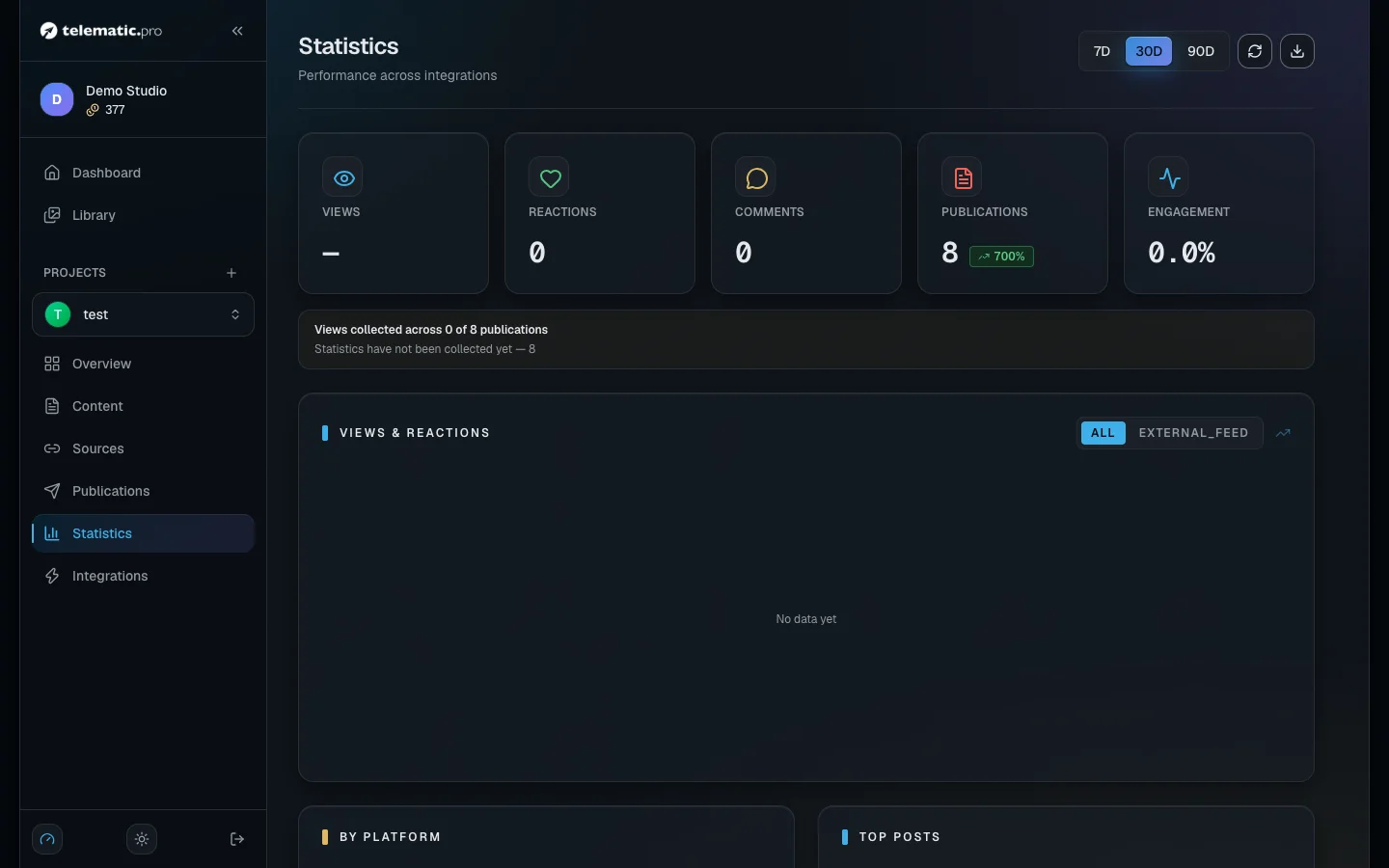
A zero means the platform answered: there are no views. A dash, "—", means the views could not be found out. Such posts are left out of the totals and averages, so the result is not dragged down.
If some posts have no data, a yellow line appears under the cards: views were collected for so many publications out of the total, with the reasons and their counts below. In the "By Platform" block such a platform is marked with an asterisk.
| Reason | What to do |
|---|---|
| "Private channel — view counts are not public" | the Telegram channel has no public address; set one and collection starts by itself |
| "Connected account cannot read statistics — reconnect it with the required permissions" | connect the platform again and grant every permission |
| "Integration is disconnected — reconnect it to collect statistics" | switch the platform on or reconnect it |
| "This platform does not report views for the post" | the platform does not report views for this post — there is nothing to do |
| "Statistics have not been collected yet" | wait: the post has not been checked yet |
| "Post was deleted", "Channel no longer exists or was renamed" | collection has been stopped for these posts |
Apart from the last two, the reasons clear themselves as soon as you deal with the cause.
Look at the figures in the project overview
The project's first page has a "Last 30 days" block: views, reactions, engagement and publications over 30 days compared with the previous 30. It appears after your first publication. The "All statistics" link leads to the full page.
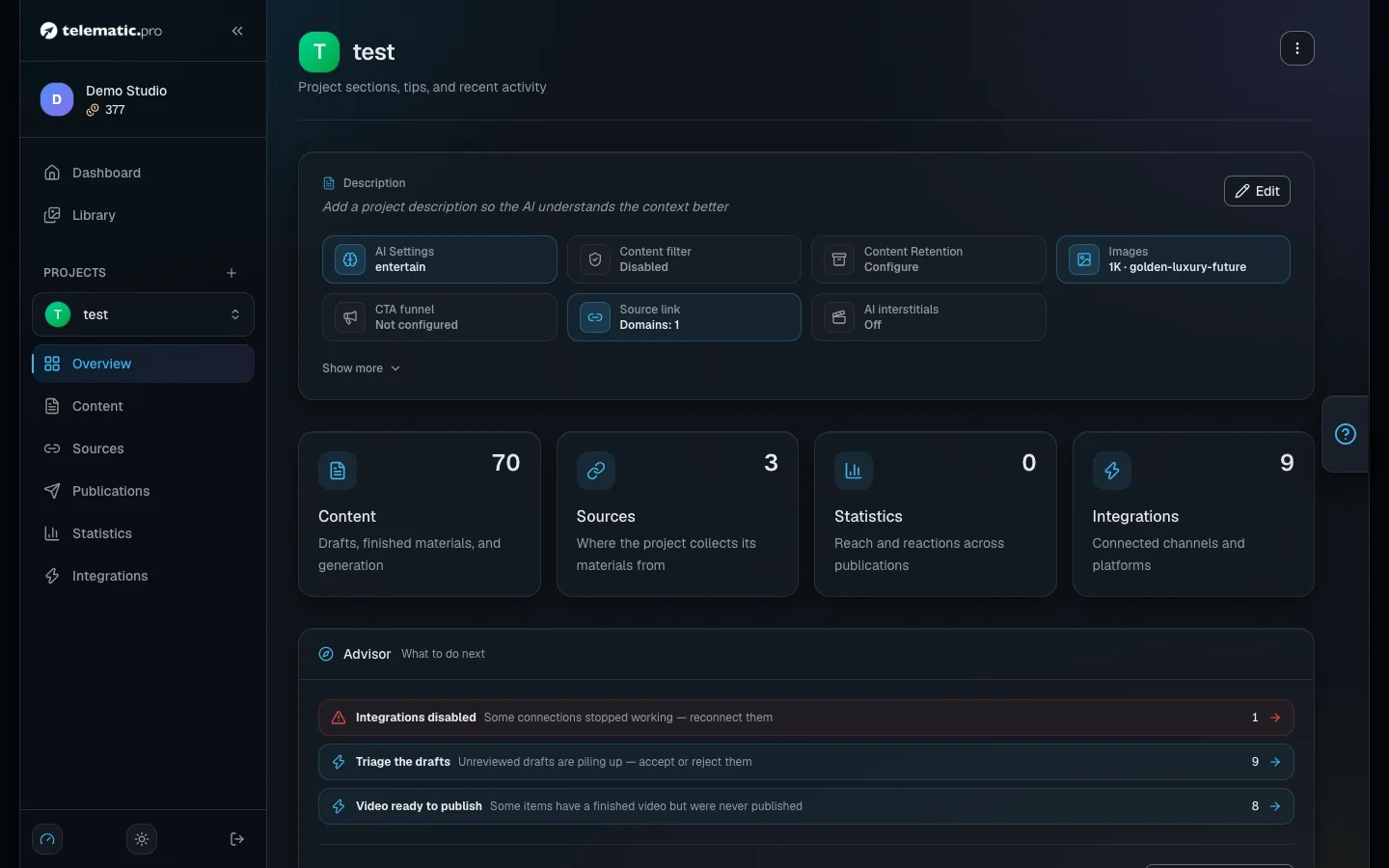
Important. This block shows plain numbers, with no dashes and no yellow line. If a number looks low, check on the statistics page whether views were collected for every post.
The Advisor: free tasks
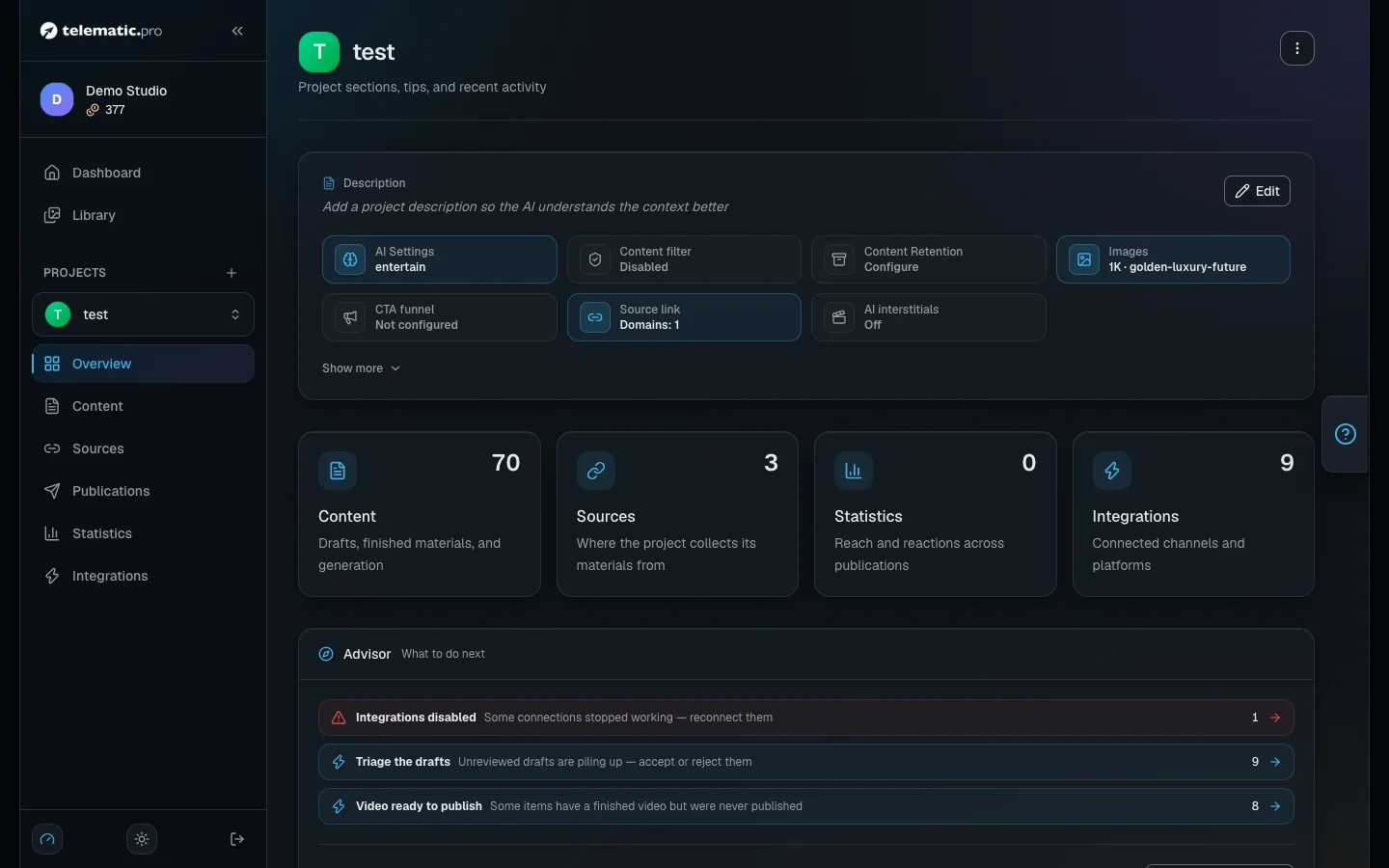
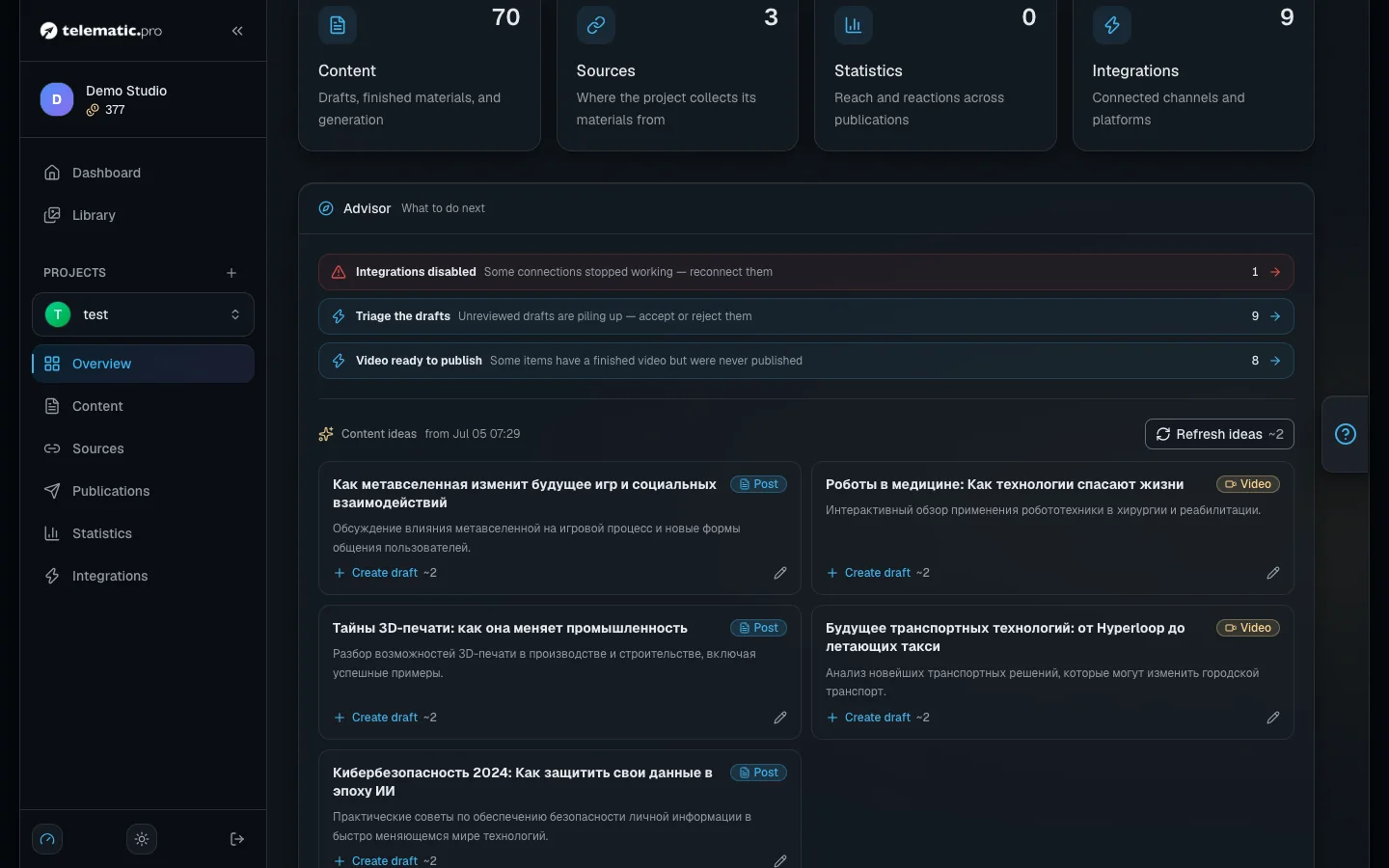
The "Advisor" panel is in the same project overview. It looks at the state of the project and tells you what to do next. If it has nothing to say, you will see "All good".
- "First steps" — the list for a new project: a source, the first collection, a platform, the AI settings, the first publication, the first video.
- "Tasks" — hints based on rules; each one takes you where you can fix the problem. Remove one you do not need with the "Dismiss" button.
Example tasks: "Integrations disabled", "Publication failures" (over the last 7 days), "Low token balance" (fewer than 50 tokens on the balance), "Triage the drafts" (5 or more have piled up), "Auto-publishing is off", "The channel is quiet" (a week with no publications), "Popular post without a video" (from 100 views).
Get ideas and turn an idea into a draft
- In the "Content ideas" block click "Suggest ideas". The price is on the button.
- The AI reads the headlines and topics of your 15 latest items and the 15 most viewed publications of the last 30 days and offers 5 ideas. Each one is labelled with a format: "Post" or "Video".
- Change the headline or the description with the "Edit" button if you need to.
- Click "Create draft". The AI writes the text and the page of the new draft opens — from there you work with it like any other item.
What it costs. Ideas cost from 1 token, a draft costs from 1 token. The price depends on the text model in the project and is shown on the button. If you do not have enough tokens, the button is unavailable.
What next
- Working with content — how to take a draft from an idea to a publication.
- Autopilot — make a video out of a post that did well.
- Solving common problems — if a platform has disconnected or posts are not going out.